
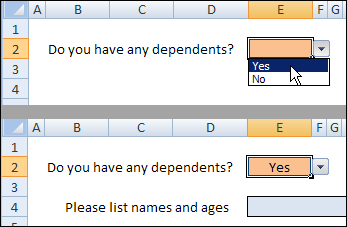
Everyone loves a good mystery! And now you can create a few in your Excel workbooks. I’ve been updating some Excel files that are used for data entry. Some tabs have a long series of questions, and some questions have two or more subsequent questions.
Category: Excel tips
Favourite Free Excel Add-Ins
Excel is certainly packed with features, but I use a few free add-ins that make Excel even better.
[Update] I’ve created a list of all the free Excel add-ins that were suggested in the comments. Thanks for sharing your favourites!
Name Manager
by Jan Karel Pieterse of JKP Application Development Services
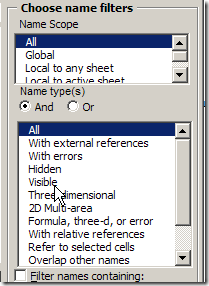
If you use names in Excel, you need this tool. You can quickly find names with errors and delete them, or track names that link to another workbook.
There are many more features, so download Name Manager, and see what it can help you with.
Excel Utilities
by Rob Bovey of AppsPro
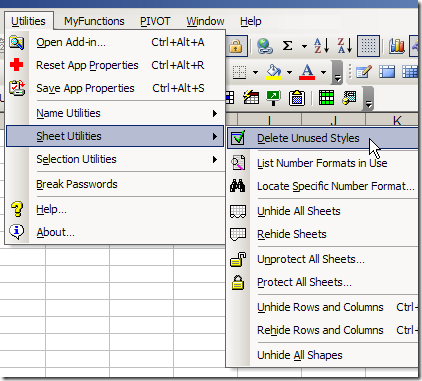
Rob’s add-in has handy tools for working with named ranges, worksheets and selections.
You can quickly protect and unprotect all the sheets in a workbook, remove unused styles, and my favourite – centre across a selection, without merging cells.
There are many more features, and you can read the full description on Rob’s page for Excel Utilities.
Pivot Power
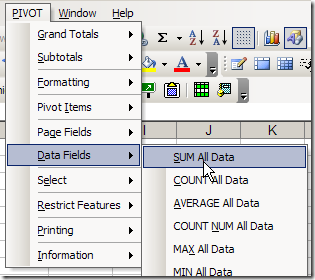
Since I work with pivot tables so often, I created my own pivot table add-in, that you can download.
The commands that I use most often are Clear Old Data, and Sum All Data.
Your Favourite Free Excel Add-Ins
What are your favourite free add-ins for Excel? Any of the ones that I’ve listed? Have you created some of your own?
_________________
Find Answers to Excel Questions
Where do you go when you’ve got an Excel question?
Survey: Where to Find Excel Answers
A while ago, I recommended the Excel newsgroups as a great place to ask questions and get one (or several) solutions. Is that what you use, or something different?
Let’s try a quick survey – it’s my first attempt, so fingers crossed that it goes smoothly! If you answer “Other”, you can add details in the comments, if you’d like.
UPDATE: The poll has closed.
Where I Find Answers
For quick questions, I usually use Google, either a general search, or a newsgroup search.
Next, if nothing turns up in Google, the Microsoft Knowledgebase is my next option, in most cases.
Occasionally, if really stumped, I’ll email a colleague for help.
Excel Books
I have a good collection of Excel books that I use too.
Some are excellent reference books, with a good index, and markers on the pages that I turn to frequently.
Others are more for inspiration, and learning new things, than for research.
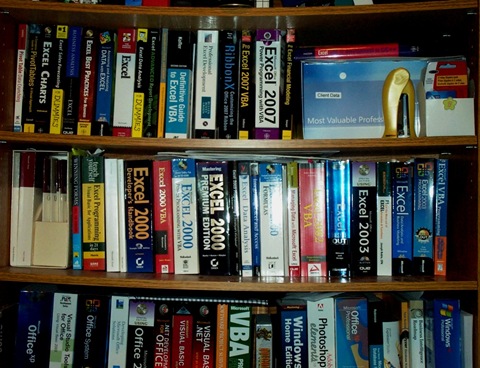
Your Excel Books
There’s a list of Excel books on my website, divided into categories. If you use any of those, I’d love to know what you think of them.
Are there any Excel books you’d recommend, that are missing from the list?
_________________
Slowly Installing Office 2010 Technical Preview
My head hurts today, and unfortunately it’s not from a weekend of wild carousing. No, it’s from a weekend of installing software. I’m sure you’ve experienced similar pain, and you might be a bit sympathetic.
Office 2010 Technical Preview
As you might know, the technical preview for Excel 2010 started last week, so I downloaded it, and was eager to take a peak at it.
Even though it was going onto my old laptop, I wanted to create a virtual machine first, and install Excel 2010 in that, away from all the other software.
Install a Virtual Machine (VM)
I’d never created a VM before, but how hard could it be? The first thing I did was find a site that gave step by step instructions on installing and setting up a VM.
That went well, and the next task was to install an operating system in the VM. Of course, all I could find were some Vista disks, and I wanted to install XP Pro.
My MSDN subscription came to the rescue, where I downloaded XP Pro, and installed it on the VM, which took a loooong time!
Install Microsoft Office 2010
The XP Pro installation went smoothly though, and eventually I was ready to load Office 2010.
That installation got off to a bad start, when it whined about a missing file, and wouldn’t begin the Office 2010 installation.
After a frustrating search, I finally found the missing file on the Microsoft site, and installed it.
Work Day Is Over
Finally, with all the pieces in place, the 2010 installation was relatively quick, and trouble free.
By then, the day was almost over, and my enthusiasm had waned considerably, so there wasn’t much time to explore the new features.
That exploration will have to wait until next weekend, I guess.
Other Installations
During the slow periods, while things were being installed, I decided to load Expression Studio onto my desktop computer.
That would give me a chance to work with it, and see if I like Expression Web better than my old version of Dreamweaver.
It took quite a while to install too, with four programs, and multiple product keys.
Browser Update Too
To top things off, I also upgraded to Firefox 3.51, then had to find new versions of some add-ons that I like to use.
Anyway, that’s all behind me now, and everything seems to be working well.
Excel Functions Word Search
Until my head recovers, I’d appreciate it if you use your inside voice, and work quietly at your desk.
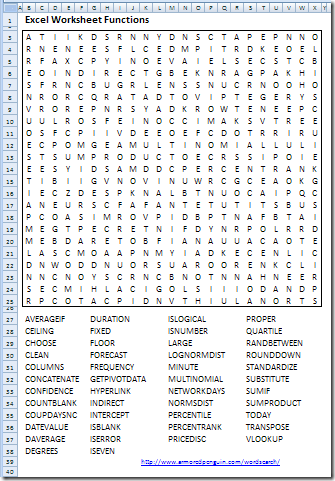
For your amusement, here’s an Excel Functions word search puzzle. If anyone asks, just tell them you’re working on some complex Excel functions.
To create it, I uploaded a list of Excel 2007 worksheet functions to the Armored Penguin site, and the puzzle was generated in a few seconds.
You can download the Excel file with the word search, and answer key sheet.
Thanks! We’ll resume our regular stomping about on Wednesday.
_____________________
Celebrating Excel Day 40000
Excel was launched in 1985, so it hasn’t been around for 40,000 days. However, Excel’s date system starts at January 1, 1900 (day 1), and today is day 40,000 in that date system.
Not on the Mac
It’s not Day 40000 for Excel Mac users though – its default date system starts at January 1, 1904 (day 0).
So, if you’re using Excel for the Mac, you won’t hit the day 40000 milestone for another four years.
The two dating systems are explained in the Microsoft Knowledgebase article at this link: Description of the differences between the 1900 date system and the 1904 date system in Excel.
Switch to a Different Date System
Whether you’re using Excel on a Windows machine or on a Mac, you can switch from the default date system.
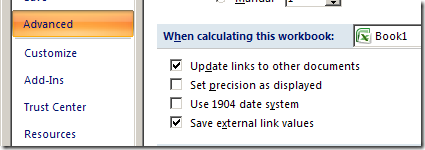
Follow the steps below, if you want to switch to the 1904 Date System in Excel 2007:
- Click the Office Button, then click Excel Options
- Click the Advanced category
- Scroll down to the section titled, When calculating this workbook
- Add a check mark to Use 1904 date system.
- Click OK
Keyboard Shortcuts for Dates
If you use these shortcuts, you’ll have more time available for celebrating the 40,000 day milestone.
- Enter today’s date: Ctrl + ;
- Format a date as dd-mmm-yy: Ctrl + #
______________________
Pick a Winner From a List of Names in Excel
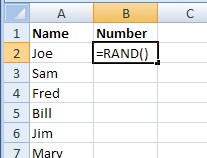
Here’s how I ran a small contest, and what I did to pick a winner from a list of names in Excel.
Continue reading “Pick a Winner From a List of Names in Excel”
Highlight Weekend Dates In Excel
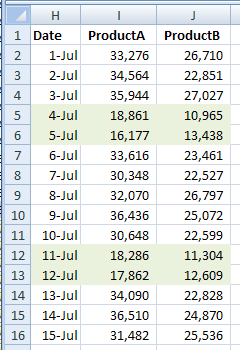
Yes, the weekend is over, but another one is just five days away! To make it easier to keep track of Saturdays and Sundays, you can use conditional formatting to highlight weekend dates in Excel.
Sorting Columns Instead of Rows in Excel
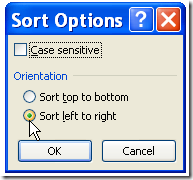
Usually when you sort data in Excel, you sort the rows, to put them in a different order. For example, you could sort the rows in a Customer list by the customer names in column A. Occasionally, you might need to sort a list horizontally, to put the columns in a different order. Here are the steps for sorting columns instead of rows in Excel, and there’s a video too.
Jump to the Next Data Entry Cell in Excel
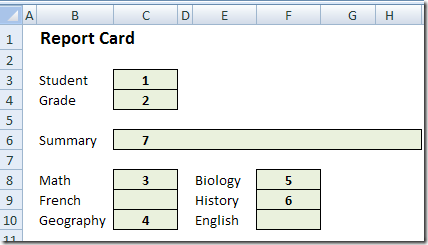
If you’re filling in a form, the data entry cells might be scattered throughout the worksheet. You’d like a quick and easy way to move through the cells, in a specific order. Here is a technique that lets you jump to the next data entry cell in Excel, without any macros.
Continue reading “Jump to the Next Data Entry Cell in Excel”
Excel List of All MP3 Files in a Directory
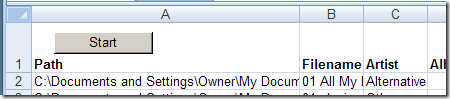
If you have a folder full of MP3 files, you can use Excel to create a list of the files, including title, artist, and song duration.
Continue reading “Excel List of All MP3 Files in a Directory”