
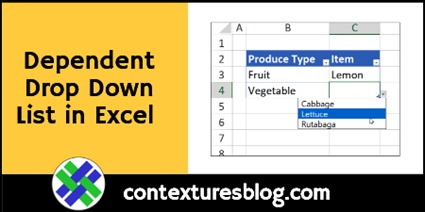
With Excel data validation, you can create drop down lists in worksheet cells. Show the same list all the time, or show a “dependent” drop down list, based on the value entered in another cell. This video shows how to set one up, and there are written steps too.
Quick Data Entry Trick for Excel
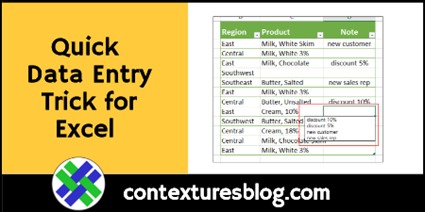
This quick data entry trick for Excel works best in a table where you already have quite a few entries. To see the trick, watch the short video below. There are written steps too, below the video.
Change Sheet Names in Excel Macro Code

If you download one of the sample Excel workbooks from my Contextures website, you might want to customize it, to meet your requirements. The two videos below show how to customize one of my files, and you can make similar changes in other workbooks. Continue reading “Change Sheet Names in Excel Macro Code”
How to Add Emojis in Excel Worksheets
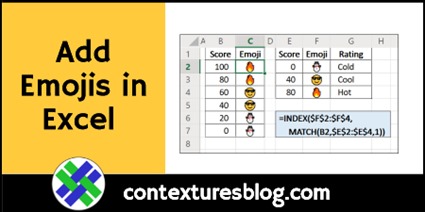
In the old days, we typed emoticons in our messages, to show a grin, or wink, etc. Now we use emojis online, and I finally learned how to add emojis in Excel too. Thanks to Wyn Hopkins who showed me this trick – my worksheets will never be the same! Also, thanks to Duncan Williamson, who shared a Sparklines trick.
Fun and Games with Excel 20190912

Even a normal day of working with Excel can be lots of fun (or not!), but today we’ll see a couple of different ways to enjoy fun and games with Excel. Or, at least, fun that mentions Excel!
Excel Filter for Date Range 2 Ways
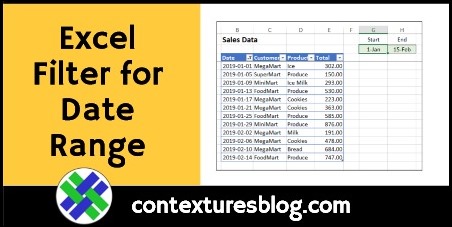
In Excel, you can use the drop down arrows in the table headings, to sort or filter the data. In this example, we’ll filter for dates that fall within a specific date range. The video shows two ways to accomplish that task.
Printable Excel Weekly Planner

Even if you love Excel, there might be times when you want to work on paper, instead of on the screen. I’ve made a printable Excel weekly planner, and you can customize the sections, and then print it out.
Excel Chart with Dynamic Date Range
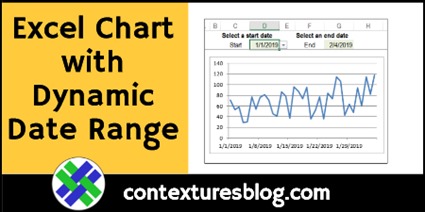
Someone asked me how to create a chart where there could select a date range, and the chart would update automatically, to show results for those dates. Here’s a quick look at the chart with dynamic date range setup, and there’s a download link at the end.
Learn Something New Beyond Excel
If you love Excel, and want to expand your horizons a bit, there are a couple of great opportunities for you to learn something new, beyond Excel features and formulas. Are you ready for an adventure?
Excel Roundup 20190711

It’s been a long time since the last Excel roundup, so here’s a new one! Check out these Excel links and articles, and I’m sure you’ll find a few interesting things to read.