
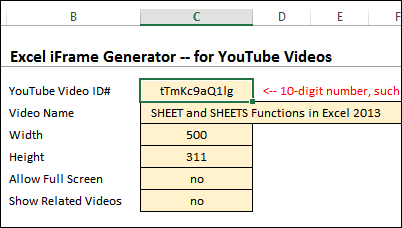
If you want to embed a YouTube video on your website, YouTube will create some IFRAME code for you. If you want to embed content from somewhere else, you might have to create your own IFRAME code, or find a free generator somewhere in the interwebs. Or, you can download my sample file, and create IFRAME code in Excel.
Continue reading “Create IFRAME Code in Excel”
Category: Excel Formulas
SHEET and SHEETS Functions in Excel 2013
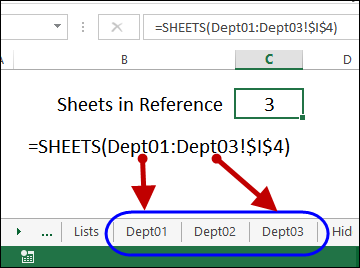
I’ve been experimenting with the new SHEET and SHEETS functions in Excel 2013, to see how they could be used.
- The SHEETS function counts all the sheets in a reference
- The SHEET function returns the sheet number for a reference
Clear Cells and Leave Formulas
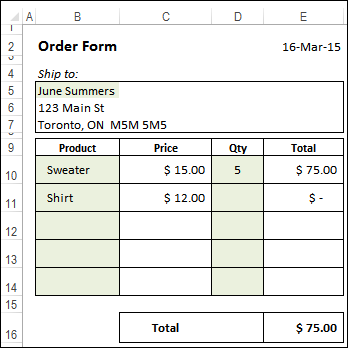
On most of the worksheets that I build, there is a mixture of labels, data entry cells, and cells with formulas. Here’s how to clear cells and leave formulas, if you want to start a new entry.
Which Excel Function Are You?

If you’ve been anywhere online in the past couple of years, you’ve probably seen those quizzes, such as Which Star Wars Character Are You? Now, it’s time to play a new game – Which Excel Function Are You?
Find Last Item in Group With Index Match
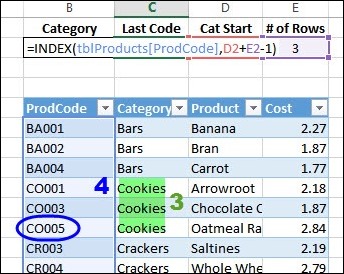
How can you use a formula to find the last item in any category, in a sorted list? Someone asked me that question last week, and I used a combination of INDEX and MATCH to find the solution.
Using MAX IF With Multiple Criteria
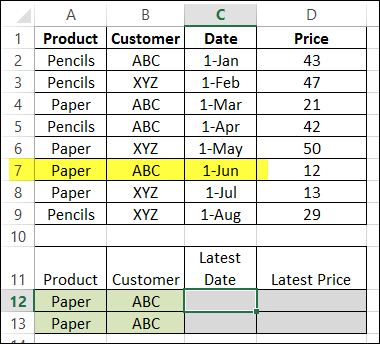
Excel doesn’t have a MAXIF function, but we’re able to create our own version, by combining the MAX and IF functions. But how about a bigger dream – MAX IF with multiple criteria? Could we create our own MAXIFS function too, with multiple IFs?
- [Update]: In Excel 2019, and Excel for Office 365, you can use the new MINIFS and MAXIFS functions. There is more information on the MIN and MAX page on my Contextures site.
Get Latest Price for Specific Product

In a previous article, we combined the MAX and IF functions, to find the highest price for a specific product. Today we’ll use that technique to find the latest date that a product’s price was changed. Then, using the product name and that date, we can find the latest price for specific product – even if it isn’t the highest price.
Check Winning Numbers with COUNTIF Function
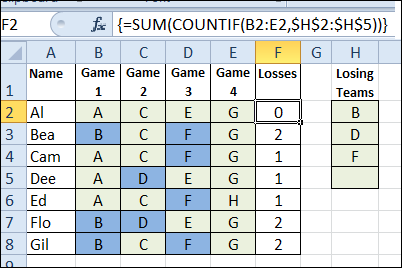
Today, we’ll see a little magic from the COUNTIF function – it can do the work of seven formulas in one! We’ll use it to check winning numbers in an imaginary lottery.
Continue reading “Check Winning Numbers with COUNTIF Function”
Change Functions with AGGREGATE in Excel
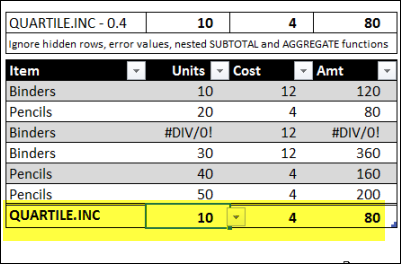
A couple of years ago, we looked at the Excel SUBTOTAL function, and saw how you could allow users to select the function they want. In the example shown below, the total formulas are controlled by the drop down list at the top of the sheet.
Today, we’ll use a similar technique to change functions with AGGREGATE – one of Excel’s newer functions.
Switch Languages in Excel Workbook
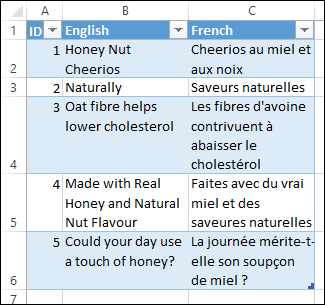
Our two official languages in Canada are English and French, and I’m currently working on an Excel project in which you can choose either language. The steps below show how to set things up, so you can switch languages in Excel.