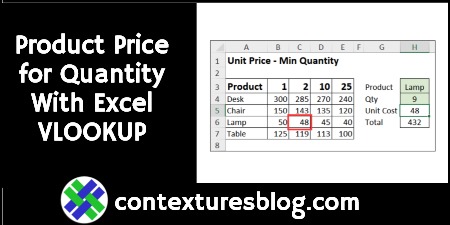
Find Product Price Based on Quantity with Excel VLOOKUP and MATCH

In some Excel workbooks, you might have a simple product pricing table, with the product name in one column, and the product price in the next column. With a simple VLOOKUP formula, you can get the price for any product.

In the video below, there’s a different kind of pricing table. There are product names in the first column, with quantity pricing information in the next four columns.

Continue reading “Find Product Price Based on Quantity with Excel VLOOKUP and MATCH”
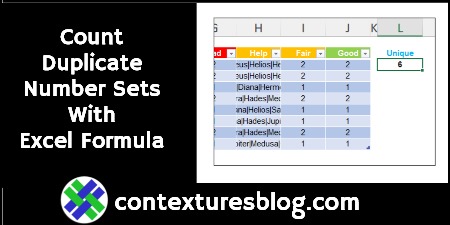
Count Duplicate Number Sets With Excel Formula

Do you love a complicated formula problem in Excel? A while ago, there was a “Count the Duplicate Number Sets” challenge, here on the Contextures blog. I posted my solution, and other people shared their methods for solving that problem.  You can still get the Excel workbook, and try it for yourself. And here’s another solution, from David Newell.

Continue reading “Count Duplicate Number Sets With Excel Formula”

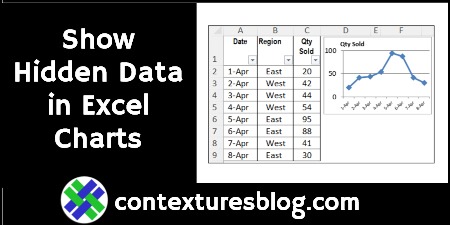
How to Fix Excel Chart to Show Hidden Data from Worksheet

If you create a chart from worksheet data, and then filter the data, some of the chart date might disappear. Sometimes, that’s what you want — filter by Region, and see only the East’s sales in the chart. But, if you always want to see all the data in the chart, try this easy fix.

Note: There’s a similar problem with Excel’s in-cell Sparkline charts, and you can fix that too! Continue reading “How to Fix Excel Chart to Show Hidden Data from Worksheet”

Fun With Microsoft Excel: Streaming Radio

Pro Tip – Don’t sign up for TikTok! It’s a giant carnival, filled with hypnotic music, shiny objects, travelling medicine shows, and fortune tellers. You stop in for 5 minutes, and stagger out hours later, dazed and confused. Sure, there’s helpful info on TikTok too, but you’ll probably get sidetracked while you look for it!

Continue reading “Fun With Microsoft Excel: Streaming Radio”

Calculate Easter Date with Excel Formula

Easter will be here soon, and if you want to know exactly (“eggsactly”?) when it is, you can calculate Easter’s date with an Excel formula or User Defined Function. See the example below, and there’s a sample file you can download too, with several Easter formulas and functions. Oh, and there’s cake!

Continue reading “Calculate Easter Date with Excel Formula”

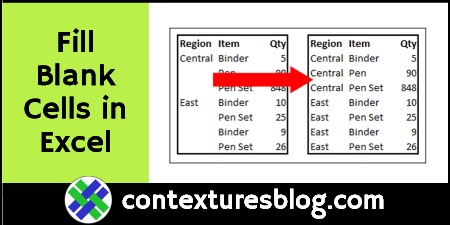
How to Fill Blank Cells in Excel With Value from Above

Some worksheets have blank cells in a column, instead of repeating the headings in every row. That white space makes it easier to read the report, but will cause problems if you need to sort or filter the data.

Here’s how you can fill in those blank cells, to avoid messing up your data. Then, use an easy conditional formatting trick, to hide the duplicate headings. Continue reading “How to Fill Blank Cells in Excel With Value from Above”

Excel With Olympic Athlete Data for Winter Fun

Are you watching any of the 2022 Winter Olympics coverage? I hear the medal count reports on the morning radio, but that’s about all I’ve seen!

Back in 2010, the Winter Olympics were in Vancouver, Canada, so we watched lots of events that year. I downloaded some athlete bios that year, and had fun turning that data into pivot tables.

Continue reading “Excel With Olympic Athlete Data for Winter Fun”