Excel Pivot Table Error Message Reference Not Valid

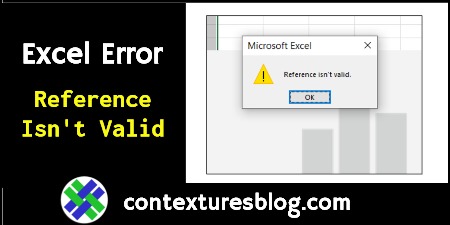
Tuesday morning, I opened an Excel file that I’d been working on the day before. Immediately, an error message appeared, “Reference isn’t valid”. I’ve seen that error with Excel charts before, but this turned out to be a pivot table problem.

Continue reading “Excel Pivot Table Error Message Reference Not Valid”

Excel Filtered List Paste Same Row Shortcut

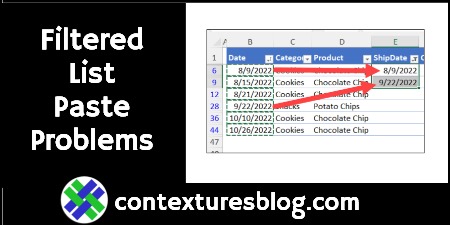
After you filter a list in Excel, it’s easy to select an copy a few of the visible cells only. After doing that, you can go to another worksheet, and paste just those cells, without any problems. Unfortunately, Excel is not so helpful if you want to copy cells from that other sheet, and paste them into just the visible rows in the filtered list. This is a decades old problem, and there’s no magic solution.

Continue reading “Excel Filtered List Paste Same Row Shortcut”

Excel Sample Data for Football Season

The NFL preseason games for 2022 started last week. That reminded me of  football-related questions that I had, way back in January 2010. Do the biggest players have the highest jersey numbers? Does the heaviest team win? As usual, I turned to Excel for the answers! Continue reading “Excel Sample Data for Football Season”

Use Wildcards with AVERAGEIF Function in Excel

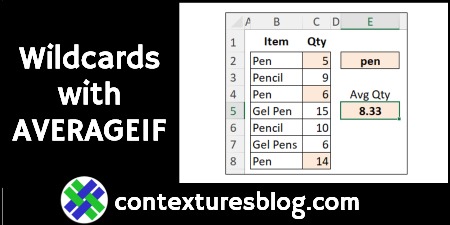
The AVERAGEIF function in Excel is similar to SUMIF and COUNTIF – you can calculate a result based on criteria. There’s also an AVERAGEIFS function, if you need to use multiple criteria in your calculation.

Continue reading “Use Wildcards with AVERAGEIF Function in Excel”

Track Golf Scores in Excel Multiple Players & Courses

If you’re playing golf this summer, you can keep track of your golf scores in Excel. And you don’t have to build your own score tracking workbook – get one of the pre-built golf score tracking templates on my site.

Continue reading “Track Golf Scores in Excel Multiple Players & Courses”

Go From 48672 Excel Formulas Down to 1 – Contextures Blog

Happy Canada Day, if you’re celebrating tomorrow! And Happy July 4th, on Monday, if you’re in the USA! These holidays inspired me to change an Excel workbook, so it has a formula in only one cell. The old workbook needed 48,672 formulas, to do the same thing! Also, how often does Canada Day fall on a Friday? Let’s find out!
Continue reading “Go From 48672 Excel Formulas Down to 1 – Contextures Blog”

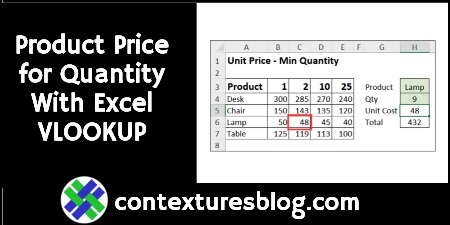
Find Product Price Based on Quantity with Excel VLOOKUP and MATCH

In some Excel workbooks, you might have a simple product pricing table, with the product name in one column, and the product price in the next column. With a simple VLOOKUP formula, you can get the price for any product.

In the video below, there’s a different kind of pricing table. There are product names in the first column, with quantity pricing information in the next four columns.

Continue reading “Find Product Price Based on Quantity with Excel VLOOKUP and MATCH”

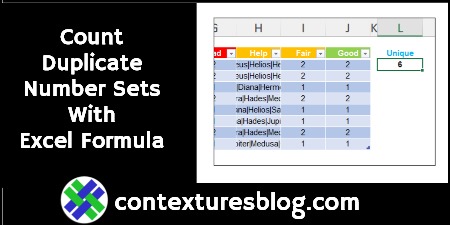
Count Duplicate Number Sets With Excel Formula

Do you love a complicated formula problem in Excel? A while ago, there was a “Count the Duplicate Number Sets” challenge, here on the Contextures blog. I posted my solution, and other people shared their methods for solving that problem.  You can still get the Excel workbook, and try it for yourself. And here’s another solution, from David Newell.

Continue reading “Count Duplicate Number Sets With Excel Formula”

How to Fix Excel Chart to Show Hidden Data from Worksheet

If you create a chart from worksheet data, and then filter the data, some of the chart date might disappear. Sometimes, that’s what you want — filter by Region, and see only the East’s sales in the chart. But, if you always want to see all the data in the chart, try this easy fix.

Note: There’s a similar problem with Excel’s in-cell Sparkline charts, and you can fix that too! Continue reading “How to Fix Excel Chart to Show Hidden Data from Worksheet”

Fun With Microsoft Excel: Streaming Radio

Pro Tip – Don’t sign up for TikTok! It’s a giant carnival, filled with hypnotic music, shiny objects, travelling medicine shows, and fortune tellers. You stop in for 5 minutes, and stagger out hours later, dazed and confused. Sure, there’s helpful info on TikTok too, but you’ll probably get sidetracked while you look for it!

Continue reading “Fun With Microsoft Excel: Streaming Radio”