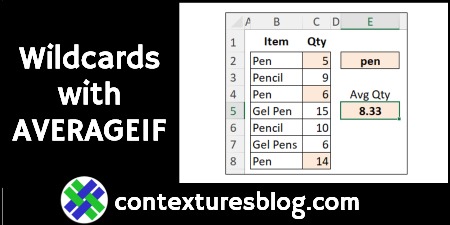
Use Wildcards with AVERAGEIF Function in Excel

The AVERAGEIF function in Excel is similar to SUMIF and COUNTIF – you can calculate a result based on criteria. There’s also an AVERAGEIFS function, if you need to use multiple criteria in your calculation.

Continue reading “Use Wildcards with AVERAGEIF Function in Excel”
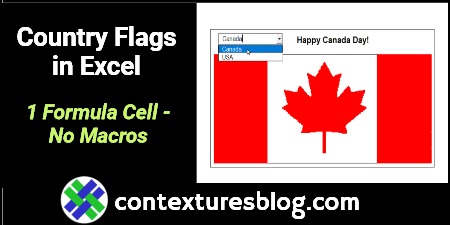
Go From 48672 Excel Formulas Down to 1 – Contextures Blog

Happy Canada Day, if you’re celebrating tomorrow! And Happy July 4th, on Monday, if you’re in the USA! These holidays inspired me to change an Excel workbook, so it has a formula in only one cell. The old workbook needed 48,672 formulas, to do the same thing! Also, how often does Canada Day fall on a Friday? Let’s find out!
Continue reading “Go From 48672 Excel Formulas Down to 1 – Contextures Blog”

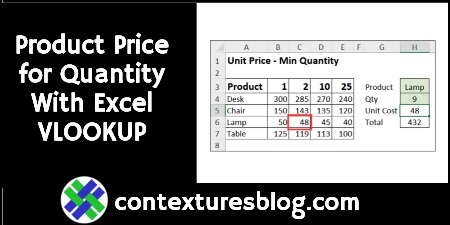
Find Product Price Based on Quantity with Excel VLOOKUP and MATCH

In some Excel workbooks, you might have a simple product pricing table, with the product name in one column, and the product price in the next column. With a simple VLOOKUP formula, you can get the price for any product.

In the video below, there’s a different kind of pricing table. There are product names in the first column, with quantity pricing information in the next four columns.

Continue reading “Find Product Price Based on Quantity with Excel VLOOKUP and MATCH”

Count Duplicate Number Sets With Excel Formula

Do you love a complicated formula problem in Excel? A while ago, there was a “Count the Duplicate Number Sets” challenge, here on the Contextures blog. I posted my solution, and other people shared their methods for solving that problem.  You can still get the Excel workbook, and try it for yourself. And here’s another solution, from David Newell.

Continue reading “Count Duplicate Number Sets With Excel Formula”

Calculate Easter Date with Excel Formula

Easter will be here soon, and if you want to know exactly (“eggsactly”?) when it is, you can calculate Easter’s date with an Excel formula or User Defined Function. See the example below, and there’s a sample file you can download too, with several Easter formulas and functions. Oh, and there’s cake!

Continue reading “Calculate Easter Date with Excel Formula”

How to Fix Problems With Excel Dates

Dates can be tricky in Excel, especially in December and January! In those months, you often have to type the year too, because Excel defaults to the current year.

There are other Excel date problems too, like dates where you can’t change the formatting, and dates for the GetPivotData function. Here’s a quick look at dealing with those date issues.

Fix Problems with Excel Dates

Continue reading “How to Fix Problems With Excel Dates”

Choose Random Names From Excel List – Formulas No Macros

Do you ever need to choose random names from a list in Excel? Maybe your charity is picking winners for a raffle, or your blog is doing a giveaway, or you need “volunteers” for a special project at work. As long as you have a list of the names, or ticket numbers, or anything else, Excel can do a random draw for you.

Continue reading “Choose Random Names From Excel List – Formulas No Macros”

Find MAX and MIN With Criteria in Excel Formulas

To find the highest and lowest amounts in Excel, use the MAX and MIN function. If you need to use criteria in your calculations, add the IF function to your formula, in older versions of Excel. In Excel 2019 and Excel 365, use the newer MAXIFS and MINIFS functions. You can even get the answer without formulas – use a pivot table instead!

Continue reading “Find MAX and MIN With Criteria in Excel Formulas”