
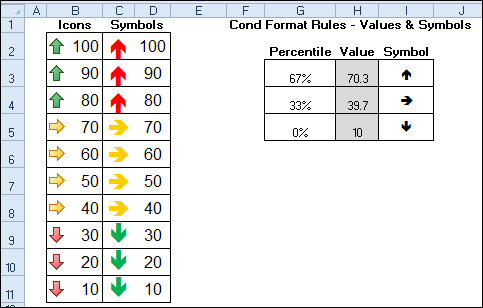
See how to create your own Excel icon set, to overcome a limitation with the built-in options. Icon Sets were added to conditional formatting in Excel 2007, and you can use the icons to highlight the results in a group of cells. This workaround uses symbols on the worksheet, instead of the Icon Set symbols.
Excel Gantt Chart Template Giveaway
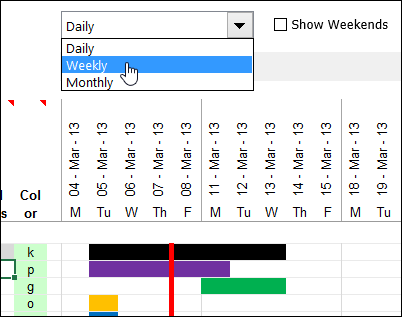
Last week, we had a giveaway for Excel Dashboards and Reports, by Mike Alexander and John Walkenbach, and here are the winners:
Enter Multiple Items in an Excel Cell
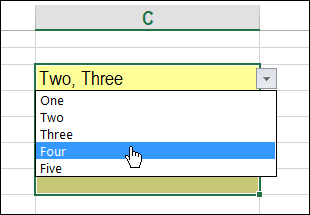
Today we’ll see an interesting tweak to an old technique. One of the articles on my website shows how you can select multiple items from a cell’s drop down list. Instead of overwriting the cell’s value, new selections are added to the end of the cell’s contents. Here’s how to enter multiple items in an Excel cell, if it doesn’t have a drop down list.
Excel Dashboards Book Giveaway
Last week, we had a giveaway for my PivotPower Premium add-in, and here are the winners:
- Heather R, with comment 5
- Jeff, with comment 26
Congratulations, and I will email you later today, to arrange sending your copy of the file.
Excel Dashboards & Reports
This week, Katie Mohr, from Wiley, has donated 2 e-book copies of Excel Dashboards and Reports, by Mike Alexander and John Walkenbach. If you are interested in building dashboards, this will help you get started, or increase the skills that you already have.
The book has excellent review on Amazon, and it takes you from the preliminary steps of planning the dashboard, to setting up the data, and creating interactive controls and even macros to enhance it.
It covers charts, sparklines and pivot tables, plus instructions for connecting to data outside of Excel.
Waffle Charts
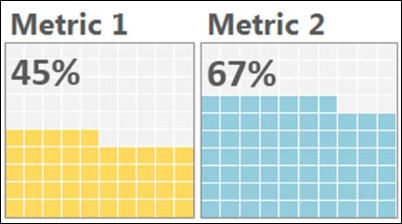
One of the book’s chart examples is a Waffle Chart, also known as a Square Pie Chart. It’s a 10×10 grid, and the coloured squares represent the completed portion. To see the instructions, you can download a free pdf file from the Amazon site.
Mike says, “This kind of chart is a relatively effective option when you want to add an interesting visualization to your dashboard without distorting the data or taking up too much dashboard real estate.”
Enter the Giveaway
Katie Mohr, from Wiley, has donated 2 e-books for this giveaway. If you’d like a chance to win a copy, please read the rules, and then make a comment below.
- In your comment, tell us:
- If you have built an Excel dashboard, did you run into any problems?
- If you haven’t built an Excel dashboard, why would you like to get started?
- Include your email address, so I can contact you if you win. Your contact information won’t be publicly visible, and it won’t be used for any other mailings.
- The deadline is Wednesday, August 28th, 2013, at 12 noon Eastern Daylight Time.
- One entry per person.
- The 2 winners will be announced on Thursday, August 29nd, 2013.
- Each winner will have 24 hours to claim the prize, and if not claimed, another name will be selected.
___________________
Adjust Excel Column Widths to Fit Specific Cells
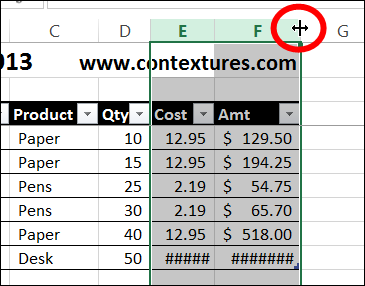
I have a quick tip for you today, that might make your worksheets look a little better. We’ll adjust column widths based on a specific cell.
Continue reading “Adjust Excel Column Widths to Fit Specific Cells”
Excel PivotPower Premium Giveaway
Last week, we had a giveaway for the new Excel Tips Workbook from Vertex42. Thanks to Jon Wittwer for donating the prizes, and here are the winners:
- Tim, with comment 5
- Ute-S, with comment 34
Congratulations, and I will email you later today, to arrange sending your copy of the file.
PivotPower Premium
We’ve been fortunate to have some great prizes for the summer giveaways, and I really appreciate the generosity of my Excel colleagues.
Now it’s my turn to provide the prizes. This week, you’ll have a chance to win a copy of my Excel add-in for working with pivot tables – PivotPower Premium (Ribbon Version). There will be 2 winners, so be sure to enter!
[Update: This product is no longer available]
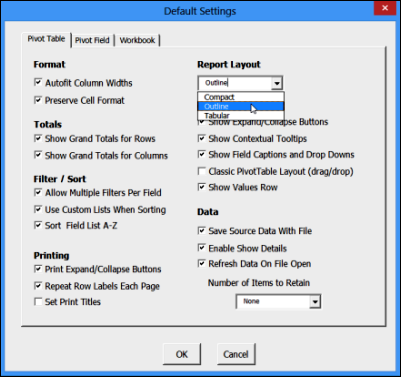
The add-in is easy to install, and is designed for Excel 2007 and later (Windows only). One of its time-saving features is Set Defaults, which lets you store your favourite pivot table settings. Then, select any pivot table, click Apply Defaults, and all those settings are applied.
More Tools for Pivot Table Work
There are many more tools in the PivotPower Premium add-in, including number formats, and a button that changes all the fields to Sum. That’s handy when Excel decides that half of your fields should be “Count of”.
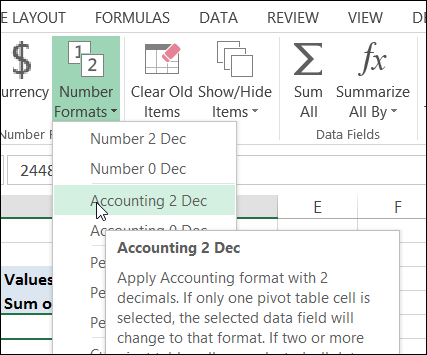
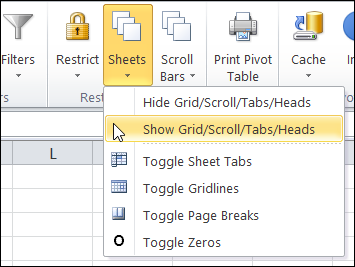
There are even a few tools for changing your workbook and worksheet settings, so your pivot tables can look their best. The screen shot below shows the Ribbon in Excel 2010, and the one above is in Excel 2013.
Enter the Giveaway
I’m picking 2 winners for this giveaway. If you’d like a chance to win a copy, please read the rules, and then make a comment below.
- In your comment, tell me one thing that you love about pivot tables, AND/OR one thing that pivot tables should do better.
- Include your email address, so I can contact you if you win. Your contact information won’t be publicly visible, and it won’t be used for any other mailings.
- The deadline is Wednesday, August 21st, 2013, at 12 noon Eastern Daylight Time.
- One entry per person.
- The 2 winners will be announced on Thursday, August 22nd, 2013.
- Each winner will have 24 hours to claim the prize, and if not claimed, another name will be selected.
__________________________
Remove Text in Excel Without Macros
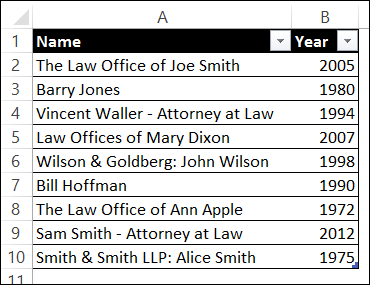
One of the benefits to having an Excel website is the interesting questions that I get in my email. I can’t help with every request, but some lead to blog posts or articles on my Contextures website. Like today’s tip – how to remove text in Excel without macros.
Spreadsheet Tips Workbook Giveaway
Last week, we had a giveaway for Mike“ExcelIsFun” Girvin’s new book, Ctrl+Shift+Enter: Mastering Excel Array Formulas. The publisher, Bill Jelen (Mr. Excel), generously donated 4 copies of the ebook, and here are the winners:
- Barry Charnock, with comment 76
- John Fairlie, with comment 28
- Erica, with comment 41
- Vaibhav Garg, with comment 1
Congratulations to the winners, and thanks to Bill for making this possible! I will send each winner an email, and you’ll have 24 hours to reply, so you can get your copy of the ebook.
Spreadsheet Tips Workbook
This week, we’re having another Excel giveaway! Jon Wittwer, from Vertex42, has just published his new Spreadsheet Tips Workbook, with 140+ Excel tips. All the tips are in an Excel file, with practice areas where you can test the tips as you work through them.
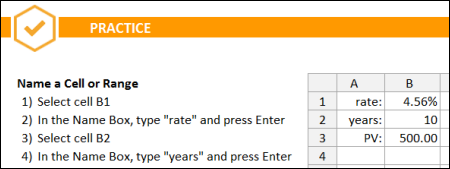
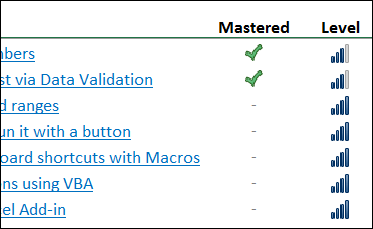
Some of the skills are for basic users, and more than half are at the intermediate to advanced level.
You can mark each section as completed, as you go through each topic, and see your progress at the top of each sheet.
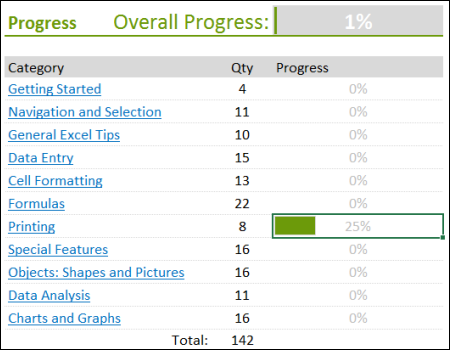
On the main sheet, you’ll see your overall progress, and how much you’ve completed in each category.
There are links to videos and other articles, throughout the workbook, so you can dig deeper into the topics that you’re most interested in.
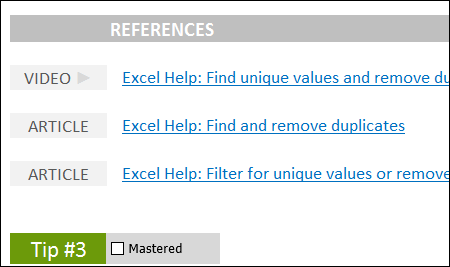
I was impressed by both the content and the layout of the workbook. In addition to learning great Excel tips, you’ll be inspired to try some of Jon’s navigation and design ideas in your own files.
Enter the Giveaway
Jon Wittwer, from Vertex42, has provided us with 2 copies of the Spreadsheet Tips Workbook for this giveaway.
If you’d like a chance to win a copy, please read the rules, and then make a comment below.
- In your comment, tell us one area of Excel where you’re not an expert, and could use a few tips.
- Include your email address, so I can contact you if you win. Your contact information won’t be publicly visible, and it won’t be used for any other mailings.
- The deadline is Wednesday, August 14th, 2013, at 12 noon Eastern Daylight Time.
- One entry per person.
- The 2 winners will be announced on Thursday, August 15th, 2013.
- Each winner will have 24 hours to claim the prize, and if not claimed, another name will be selected.
__________________________
Change Default Chart Type in Excel
On July 25th I announced a giveaway for Jon Peltier’s amazing Chart Utility, and thanks for all the entries! The deadline was yesterday, August 5th, at 12 noon Eastern time, and the winner of the random draw is:
Array Formulas Book Giveaway

It’s August already! How did that happen? Did you know that August is not only a month name, it’s an adjective that means “inspiring reverence and admiration; venerable, impressive”. In Excel, it’s also impressive to know how to use array formulas.