
It’s pivot table time! First, we’ll take a look two common problems with time values in pivot tables. Then I’ll show you a couple of ways to save time when working with pivot tables.
Use Slicers to Set Filter Criteria in Excel
In most cases, it’s best if you keep people away from your data in Excel. It’s too easy to mess things up! Instead, set up a worksheet where they can use Slicers to set filter criteria in Excel.
Then click a button, and a macro dumps the data onto the worksheet. In the screen shot below, you can see how it works – easy, quick, and safe!
Continue reading “Use Slicers to Set Filter Criteria in Excel”
Highlight the Latest Lottery Number Matches
Did you win the big prize? Have you ever picked those winning numbers? If you’re keeping track of lottery ticket numbers, use Excel conditional formatting to highlight the winning numbers in a list. Each week, enter the numbers from the latest draw, and Excel will colour all the cells that have matching numbers. You can use a different colour to highlight the latest lottery number matches. The screen shot below shows an example.
Continue reading “Highlight the Latest Lottery Number Matches”
Excel Roundup 20160321
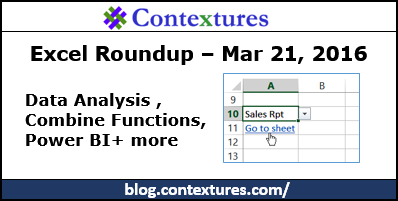
In this week’s roundup, Data Analysis, Power BI, combining functions, and more Excel tips.
Excel Sheet Selector With No Macros
If you’re setting up a workbook for other people to use, they’ll appreciate it if you make it easy to move around in the file. You can create a table of contents on the first sheet, and that will get them off to a good start. But then what?
Once they’re on one of the other sheets, how can they get back to the table of contents, or go directly to a different sheet? We’ll add a drop down list of sheets, to make it easy to go to the one that you need.
Excel Roundup 20160314
Happy Pi Day! In this week’s roundup, troubleshoot large Excel files, free webinars, reporting tips, and much more.
List All Excel Sheets With Used Range
Last week I was updating one of my Excel sample files, and noticed that it was way bigger than it should be. Most of the sample files are just a few kilobytes in size, but this one was about 1.5 MB. What was going on?
Here’s how I found the problem, and a macro that you can use for troubleshooting in your workbooks.
Excel Roundup 20160307
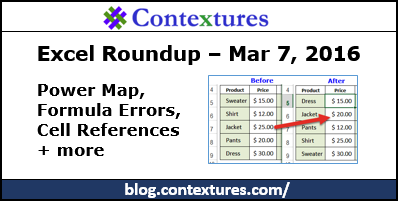
In this week’s Excel roundup, you’ll find fun with Power Map, trouble with Excel formula errors, different types of cell references, and more.
Excel VLOOKUP Sorting Problem
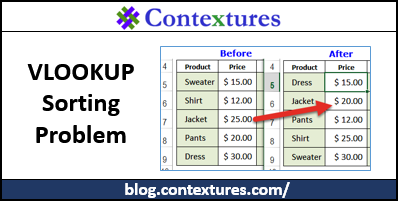
You can use an Excel formula to pull data from a lookup table – for example, enter a product name, and automatically see its price. Be careful though, or things can go horribly wrong, and you’ll end up selling things at the wrong price.
Excel Roundup 20160229
Happy Leap Year Day! According to my calculations, the next time that Leap Year Day falls on a Monday will be in 2044. By then, Excel will be 58 years old. Do you think that Excel will still be around, or will it have retired early?
This week, cool tricks with the new TEXTJOIN function, tell a story with your charts, create a calendar for Power Query, and more.