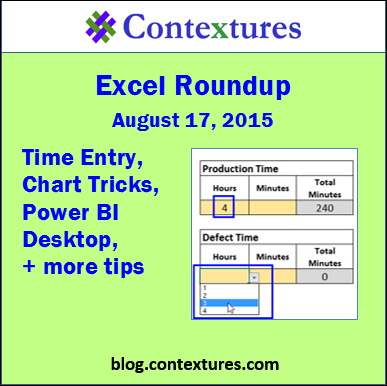
In this week’s roundup, take the pivot table survey, learn new chart tricks, see what’s new in Power BI Desktop, and much more.
We’re on our summer schedule now, so the next roundup will be published on Monday, August 31st.
Excel tips and tutorials

In this week’s roundup, take the pivot table survey, learn new chart tricks, see what’s new in Power BI Desktop, and much more.
We’re on our summer schedule now, so the next roundup will be published on Monday, August 31st.
Last week, someone asked me how to create drop down lists for hours and minutes, and also control the total time that was entered. Production time and Defect time would be entered, and Defect total time could not be greater than the Production total time.
He sent a sample file, with drop down lists in place, but they allowed invalid times to be entered. Was there any way to make it work?
In this week’s roundup, see the results from last week’s Excel survey, find a seat for everyone, compare Excel and Power BI, and more.
We’re on our summer schedule now, so the next roundup will be published on Monday, August 17rd.
You can make an interactive dashboard in Excel, even if you can’t use macros, or prefer to avoid them. Select a chart or chart data from a drop down list, and the selected item will instantly appear on the dashboard – no macros required.
Continue reading “Choose Excel Dashboard Chart in Drop Down List”
In this week’s roundup, let me know if you like the version of Excel that you’re using at work, get productivity tips, add a sneaky filter to a pivot table, and more.
We’re on our summer schedule now, so the next roundup will be published on Monday, August 3rd.
Someone emailed me recently, asking how to copy just the numbers, from a column that also contained some blank cells. The goal was to paste those numbers in another location, in a solid block, without all the blanks.

In this week’s roundup, create bullet charts, export dashboards, use the Rank feature in pivot tables, and many other Excel tips
We’re on our summer schedule now, so the next roundup will be published on Monday, July 20th.
A pivot table is a great way to quickly summarize number, to see how your business is doing. But sometimes those numbers are too large to analyze in your head, so let the pivot table give you a bit of help, with the pivot table Rank calculation.
In this week’s roundup, plan your meals, fix dates, multiply cells, refer to tables, and many more Excel tips.
If you read or wrote any other interesting Excel articles recently, or have upcoming Excel events, please let me know. Thanks!
There is an Excel weekly meal planner on my website, and you can use it to organize your meals, and create a shopping list. I hadn’t used it for quite a while, and after opening it this week, I decided it was time for an update.