Did you know that today is Talk Like a Pirate Day? It’s not as awesome as Spreadsheet Day, obviously, but it could add some fun to your workday!
Author: Debra Dalgleish
Beware the Nested IF Formula in Excel
Do you use the IF function in your workbooks? It’s helpful if you want to check something, and then show a result based on the result of your test.
For example, in the screen shot below, the total won’t show if a quantity hasn’t been entered in cell D7.
Excel Roundup 20150914
In this week’s roundup, create a seating plan, do case sensitive lookups, learn Excel from Joel Spolsky, and more.
7 Ways to Sum in Excel
What was the first function that you learned in Excel – if you can remember that far back?
I’ll bet it was the SUM function. There’s an AutoSum button on the Ribbon that makes it very easy to put a total – just select a blank cell below a column of numbers, and click that button.
Excel Roundup 20150831
In this week’s roundup, see the results from the last roundup’s pivot table survey, build a better dashboard, see some new chart types, and much more.
We’re almost at the end of our summer schedule now, and the next roundup will be published on Monday, Sept 14th.
Excel Worksheet Navigation Tips
It can be a real pain to find a specific sheet, if an Excel file has lots of worksheets. If I’m making a big file for a client, I’ll often colour groups of sheet tabs, to they’re easier to find. Then, if you want the admin lists sheets, look for the red group.
Excel Roundup 20150817
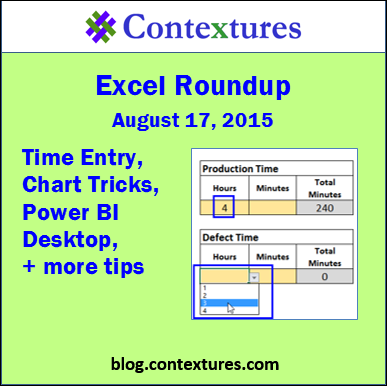
In this week’s roundup, take the pivot table survey, learn new chart tricks, see what’s new in Power BI Desktop, and much more.
We’re on our summer schedule now, so the next roundup will be published on Monday, August 31st.
Drop Down Hours and Minutes
Last week, someone asked me how to create drop down lists for hours and minutes, and also control the total time that was entered. Production time and Defect time would be entered, and Defect total time could not be greater than the Production total time.
He sent a sample file, with drop down lists in place, but they allowed invalid times to be entered. Was there any way to make it work?
Excel Roundup 20150803
In this week’s roundup, see the results from last week’s Excel survey, find a seat for everyone, compare Excel and Power BI, and more.
We’re on our summer schedule now, so the next roundup will be published on Monday, August 17rd.
Choose Excel Dashboard Chart in Drop Down List
You can make an interactive dashboard in Excel, even if you can’t use macros, or prefer to avoid them. Select a chart or chart data from a drop down list, and the selected item will instantly appear on the dashboard – no macros required.
Continue reading “Choose Excel Dashboard Chart in Drop Down List”