
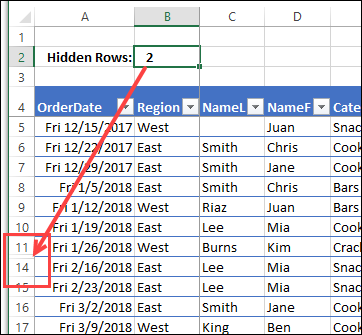
Have you seen the articles that blame Excel for all kinds of business errors? In some cases, problems occur because rows were hidden, and that distorted the data analysis. To help avoid those problems, I created a sample file that shows an Excel hidden data warning, if rows or columns are hidden.
Continue reading “Excel Hidden Data Warning”
Category: Excel Formulas
Excel Easter Dates and IP Addresses
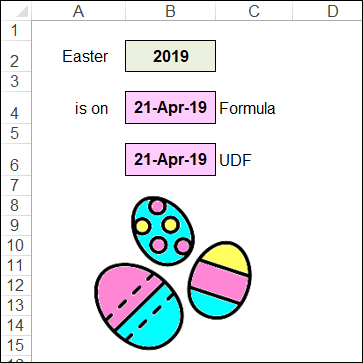
As you know, Excel can do almost anything! Recently, I changed the server that my site and blog are on, and Excel helped with the IP Addresses. And since it’s that time of year, let’s see how Excel can calculate Easter dates for us.
Excel VLOOKUP Formula Error Mystery
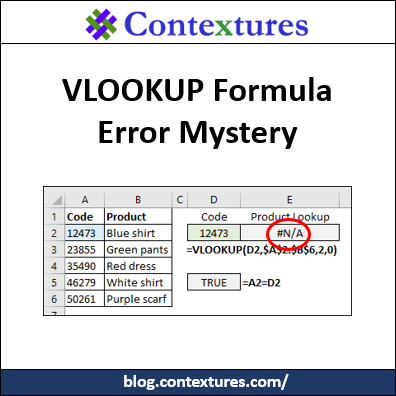
Someone sent me a workbook in which a simple VLOOKUP formula was returning #N/A errors, instead of the correct results. The product numbers looked the same, but Excel didn’t match them in the lookup. Can you solve this VLOOKUP formula error mystery?
Problems Counting Excel Data COUNTIF COUNTA

Last week, I ran into problems counting Excel data with COUNTIF, and it’s Twitter’s fault! The COUNTA function can cause problems too, when it counts cells that look empty. Let’s see how to fix both of those issues.
Continue reading “Problems Counting Excel Data COUNTIF COUNTA”
Count Items in a Cell with SUBSTITUTE

Do you use the Microsoft Excel SUBSTITUTE function very often? It’s a handy way to count items in a cell, when they’re separated by commas or spaces. The examples below show different ways to use this function – have you tried the variation in the last example?
What Are the Rules for Excel Names?
As Juliet famously said to Romeo, “What’s in a name?” And she was talking about rows (misspelled as “rose”), so maybe Juliet was using a spreadsheet at the time. There are special rules for Excel names, but you might be surprised to see what is allowed.
Excel Holiday Planner Workbook
Long ago, I created a Christmas planner in Excel, and it has evolved over the years. Well, tomorrow is the first of December, so you’ve probably finished your planning for this year. But, if you haven’t, this year’s new and improved version of the workbook might help. Now it’s an Excel Holiday Planner – you can pick any date as your holiday, instead of being Christmas themed.
Do You Still Need Excel Subtotals?
Excel has a SUBTOTAL function, which ignores hidden or filtered rows. There is a Subtotal feature too, that quickly groups your data, and adds one or more rows of subtotals. Do we still need these Excel subtotals though, now that we have pivot tables and the AGGREGATE function?
Excel Lookup Formula Challenge 20171026
Here’s an Excel Lookup Formula challenge to get your brain fired up. Can you solve it without doing a Google search? The problem details are shown below, and you can download the sample workbook. It has the sample data, and there are solutions too, on a different worksheet.
Excel CONVERT Function With Drop Down Lists
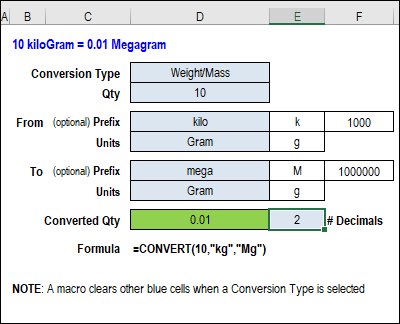
With the Excel CONVERT function, you can change quantities from one measurement type to another. For example, a hot day in Celsius looks even worse in Fahrenheit! Get my updated workbook for the CONVERT function, with drop down lists for category, units and prefixes.
Continue reading “Excel CONVERT Function With Drop Down Lists”