
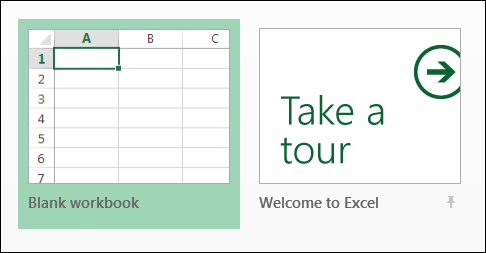
If you’ve been using Excel 2013, you might enjoy seeing the collection of templates when you open Excel. There is a blank template at the top left, and you can even take a tour of Excel.
Choose an Excel Template
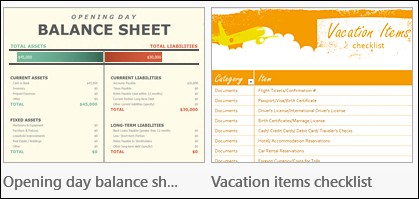
There is a wide assortment of templates to choose from – everything from a balance sheet to a vacation checklist.
Turn Off the Start Screen
It was interesting to see those templates the first time that I opened Excel 2013, but 100% of the time I click on the Blank Template.
Instead of having to click on it, I’d like a blank template to open automatically. That would save me thousands of clicks each month, and at 1 second per click, that’s a huge time saver! (I just made those numbers up, so the actual time savings might be lower than expected.)
Fortunately, there is a way to turn off the template selection, and get right to work.
- Open Excel, and click the Blank Template, to go to the Excel window.
- Click the File tab, and click Options, at the bottom of the list at the left.
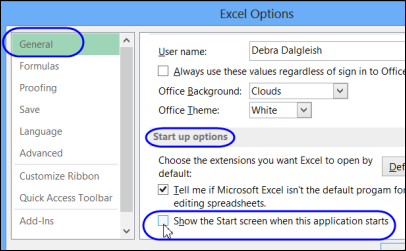
- In the Options window, click the General category
- Scroll down to Start up Options, and remove the check mark from ‘Show the Start screen when this application starts’
- Click OK, to close the Options window.
Now get to work!
______________
Is there any way to make personal templates the default instead of featured templates?
I never use the featured templates.
I was looking for what Ed was – a way to default to personal templates.
I changed my options to show a blank excel worksheet when I open Excel – thanks for that – and I added the “New…” icon to my Quick Access toolbar so that I could quickly bring up templates. But I always want MY templates, never what Microsoft recommends.
I love when such an excellent, detailed instruction is given to perform a task. Thank you!
Thanks Debra! We’ve all heard the pitch “It’s a feature, not a bug”. Well in this case its true.
Thank you so much! That start screen was not my favorite (to put it nicely).
works perfect. thank you
I have the Show the Start Screen when this application starts turned off but I want Excel to open directly into a New Workbook. Is there a setting that I can choose to make this happen?