
Last December, I posted an Excel Advent Calendar, and it was surprisingly popular, throughout the year.
New Version of Advent Calendar
Your kids are probably much smarter this year, so I’ve created a new version for that requires some basic arithmetic to find the day’s square.
Instead of a number on each square, there’s a simple Excel formula. Each formula calculates to a number between 1 and 24.
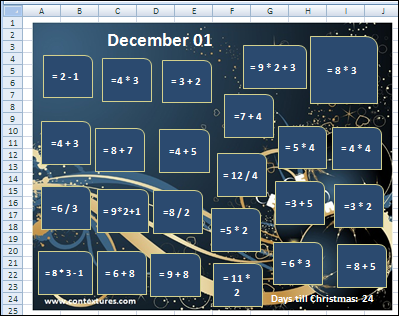
Find Shape with Day’s Number
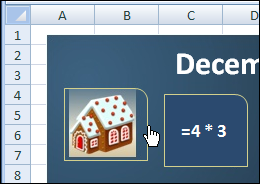
Each day, click on the shape with the formula that calculates to that day number, to reveal the Christmas picture behind it.
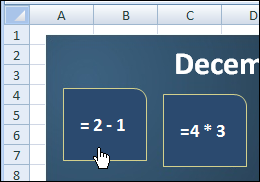
For example, on December 1, click the shape at the top left, with the formula: = 2 – 1
Cover Up the Shape
You can cover the shape again, by clicking on the border of the revealed shape.
Built-In Cheat Protection
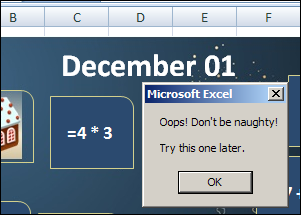
And since you might like to peek into the squares ahead of time, there’s built in cheat protection, so you can’t uncover the days before they occur.
Change the Formulas
If your kids are extra smart, or if your co-workers would appreciate a morning challenge, you can make the formulas tougher.
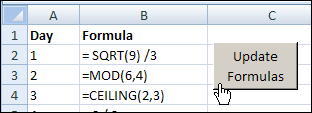
There’s a Lists worksheet, where you can enter the formula for each square, and make it as easy or hard as you’d like.
Alternate Formulas
For example, here are alternate formulas for the first three days. After you change the formulas, click the button, to update the formulas in the Advent Calendar.
The font size can be changed in the Shape Formulas code, to make the font larger or smaller, if necessary.
Download the Advent Calendar
If you’d like some help in counting down the days till Christmas, you can download the Excel Advent calendar.
It’s created in Excel 2007, and you can open it in Excel 2003 if you have the file converter installed.
The Christmas Song
Finally, to help you get in the holiday spirit while you set up your Excel Advent Calendar, here’s a relaxing Christmas tune — much nicer than the songs you’ll hear when you hit the malls for some last minute shopping!
________________
7 thoughts on “Excel Advent Calendar With Arithmetic”