On Thursday, June 12th, Jon Peltier is releasing the Advanced version of his Excel Chart Utility. If you make charts in Excel, keep reading, to see what the chart utility does, and how you can win a copy of your own.

Continue reading “Excel Chart Utility Giveaway”
Excel Roundup 20140609
What’s the oldest version of Excel, or other spreadsheet program, that you have lying around your office? In my office, there’s an old Multiplan disc and manual, and before that, I probably used a rock and chisel.
Gough Lui took a trip back in time, and installed Excel for Windows Version 3.0 – nine floppies, all 5.25″ in DD 360kB format. There are lots of screen shots, which might make you nostalgic for the good old days.

Quick Charts and Free Upgrades
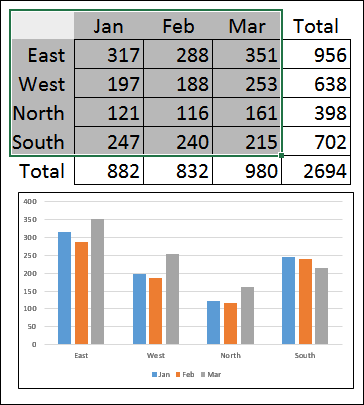
After you put data onto a worksheet, you might need to add a chart, for a visual summary of the data. In the screen shot below, there is sales data for 4 regions, and a column chart from that data.
You can quickly see that things are going better in the East region, than in the North. Probably all the snow up there kept people away from the stores!

Canadian MVP Day 2014
Last Friday, I was invited to attend the MVP Open Day at the Microsoft Canada headquarters, here in Mississauga. We had a full day of meetings, and I presented a couple of sessions about Excel. Keep reading, to see one of the Excel tips that I shared.
Continue reading “Canadian MVP Day 2014”
Excel Roundup 20140602
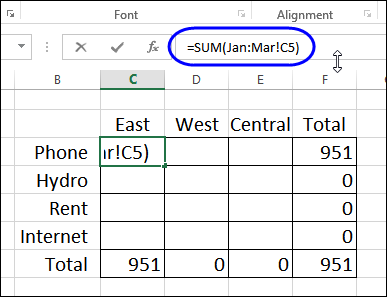
At PC World, Julie Sartain shows how to set up a workbook with a sheet for each month, and 3D formulas to summarize the Year to Data expenses. It’s not the way I’d set it up, but that’s a topic for another blog post.
What struck me was the comment,
“One of Excel’s greatest tricks is the dimensional or 3D reference…In Excel 2013, Microsoft has beefed it up with enhanced options and formulas.”
There are new functions, and other features in Excel 2013, but I don’t know of any new options in this area – did I miss something?

Continue reading “Excel Roundup 20140602”
Auditing Excel Formulas Quick Tips
This week, I’ve added a new page to my Contextures Excel site, with a few quick tricks for auditing worksheet formulas.
Create IFRAME Code in Excel
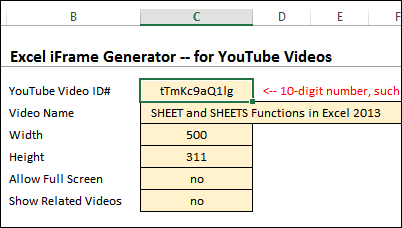
If you want to embed a YouTube video on your website, YouTube will create some IFRAME code for you. If you want to embed content from somewhere else, you might have to create your own IFRAME code, or find a free generator somewhere in the interwebs. Or, you can download my sample file, and create IFRAME code in Excel.
Continue reading “Create IFRAME Code in Excel”
Excel Roundup 20140526
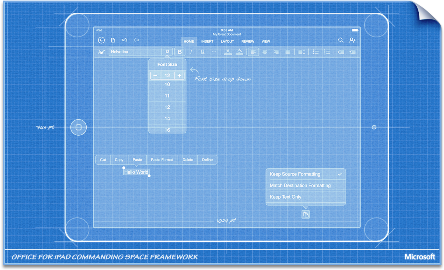
Are you using the iPad version of Office? The design team describes some of the design principles they used in creating this new version of the Office package, and customizing it for the iPad.

Continue reading “Excel Roundup 20140526”
SHEET and SHEETS Functions in Excel 2013
I’ve been experimenting with the new SHEET and SHEETS functions in Excel 2013, to see how they could be used.
- The SHEETS function counts all the sheets in a reference
- The SHEET function returns the sheet number for a reference
Unique Count in Excel Pivot Table
A pivot table can sum and count and average, and do several other functions. However, a normal Excel pivot table doesn’t have a built-in Unique Count (Distinct Count) function.
Fortunately, this page shows 4 different ways that you can get a unique count in a pivot table – for any version of Excel pivot tables.