
There is a list of Excel books on my Contextures website, and it hasn’t been updated recently. Today, I checked Amazon, to see what new and exciting Excel books had been released, so I could start adding them to the list.
New Excel Book
There’s a book – Excel 2010 Made Simple, by Abbott Katz — with a release date of May 31, 2011, from Apress, the publisher of my pivot table books.
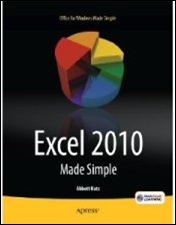
Amazon lists the book as “not yet released”, but they show the cover, which you can see below.
Excel Charts Chapter
One of the chapters is on Excel charts, and the book blurb promises that you’ll learn “How to create colorful, meaningful charts”.
I hope the cover chart was selected by someone in the Apress marketing department, and not the author!
Missing Books
I’ll be updating the list of Excel books over the next few weeks, so if you know of any recent books that are missing from the list, please let me know, so I can include them. Thanks!
Make a Simple Pie Chart
And if you do need to make a pie chart in Excel, for a business report, or for the cover of your next book, keep it simple!
This video shows how to make a basic pie chart in Excel, then add formatting, labels, and other features. Use your Excel charting powers for good, not evil!
Excel Chart Links
If you want to learn more about Excel chart, but not the 3-D rainbow-coloured kind, check out the tutorials at the following links:
Box Plot Chart (Box and Whisker)
____________
Patrick M,
Agreed on 3D charts…not very practical from a business sense (I would never use them). But if it helps sell the book, then use it, right? I don’t think Ken and I will ever agree though on this one. 😉
I’ll agree to disagree though. 😉
@Andy, which of the SmartArt settings allows such a hideous presentation?
Insert a basic pie from the cycle daigram section.
Apply one of the 3d styles, birds-eye for instance.
Select a slice.
Via format dialog…
3-d rotation > Distance from ground.
3-d format > Bottom > Height
Repeat for other slices.
Now if it had this on the cover, and showed you inside how to whip one up, that would be much better. http://www.curiouser.co.uk/illusions/opticalillusions/stairs.htm
Just for the record, I’m the book’s author, and did not select the cover :).