
This week, I’ve been working in an Excel 2007 file that has several named Excel Tables. After adding a column in one table, I copied the entire worksheet column.
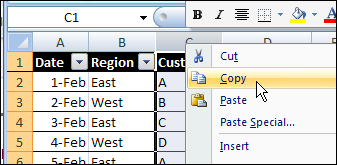
Next, I tried to paste it into another worksheet, where there was a similar table.
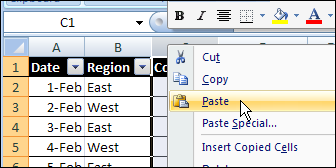
That didn’t go too well. After a few minutes of staring at the hourglass, I gave up, and closed Excel in the Task Manager.
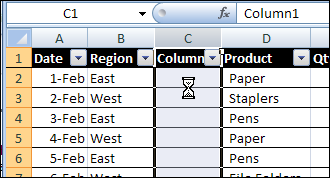
Today, I tried to repeat the column copy and paste, forgetting about the previous problem.
Sure enough, Excel crashed again. Well, technically, I guess it’s a hang, rather than a crash, but it’s still annoying.
A Smaller Named Excel Table
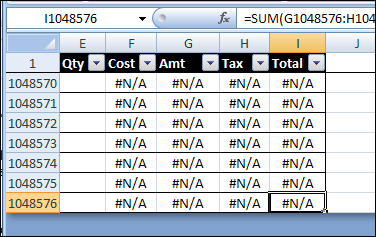
In a smaller workbook, with smaller tables, the copy eventually completed, but with strange results. There was a strange message in the Status Bar.
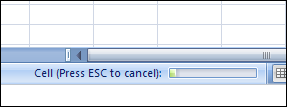
Eventually, the copy completed, but instead of the ten rows from the original table, the paste filled the entire column, so the named Excel Table ended in the last row.
Successful Copy and Paste
Instead of copying and pasting the entire column, you can copy and paste the named Excel table column.
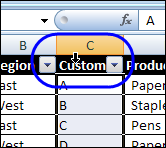
- To select the table column, click, the top of the table heading cell, instead of the column heading button.
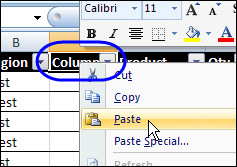
- Then, to paste into the other table, right-click the heading cell, and paste.
Or you can copy the cells, and paste them, instead of copying and pasting the column.
How Do You Crash Excel?
Enough about my problems! What’s your favourite way to crash/hang Excel?
________________
I had a good chuckle at the title of this entry. All I could think was “I don’t need to know how to crash Excel, I’m quite adept at it.” 🙂
Not sure if it’s technically a crash but it always results in a restart of Excel and often in a reboot of my machine. I am an avid keyboard user and I know all my frequently used shortcut keys or menu key sequences to get to my desired whatever (needless to say, I STILL don’t like the Ribbon). Sometimes I will accidentally hit some combination of keys that basically randomizes or nullifies my keystrokes and their results.
Tanya, thanks for sharing your technique for crashing Excel — it’s great to hear from an expert. 😉
And I know what you mean about those shortcut keys! Today I selected a group of cells, and pressed Ctrl+; to enter the date. But, I accidentally pressed Ctrl+L, and created a tiny table, that messed up the worksheet. And there was no Undo available!
I have one worksheet that if not saved when prompted at closing, will crash excel every time. I have no idea why it does this, but can reproduce it 100% of the time. It never fails!
Clayton, at least it’s consistent! (but still annoying)
I have found that the surest way to crash Excel is to have an impatient QA waiting for a printout of a test report. And if it’s a QA *manager*, it might even hang the entire computer…
Let’s see, my most successful excel hanging would be a ranking formula. Use arrays and subtotal for dynamic ranking. Three ranks per row, ~80k rows. I let it run over the weekend, came back on Monday and scrapped the whole thing.