
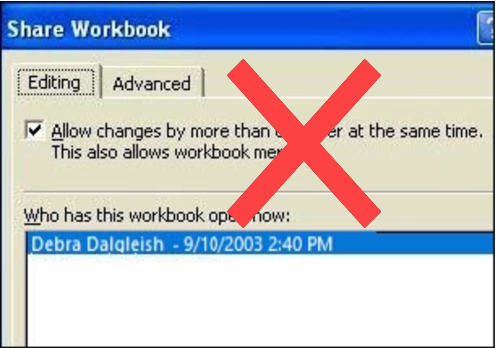
Occasionally a client asks me to create a shared workbook in Excel, so two or more employees can work in it at the same time. It sounds good in theory, but I always try to come up with a different solution.
There are many reasons for avoiding shared workbooks in Excel.
Note: See a newer version of this article: Shared Workbook Limits in Excel 2010
Your Thoughts on Shared Workbooks
Maybe you’ve had success with shared workbooks, and I’d love to hear about it in the comments. For me, the limitations far outweigh the benefits, and there’s usually another way to accommodate multiple users.
[Update] Your Comments
Thanks to everyone who left a comment below, detailing their experiences with Excel shared workbooks.
- Be sure to read through those comments, if you plan to share an Excel workbook. They might convince you to find a different solution!
- Or, if you have no choice in the matter, and have to use a shared workbook, you might find helpful tips in the comments, and workarounds for some of the problems they cause.
Too Many Missing Features
After you share a workbook, many of Excel’s features can’t be used. There’s a list of unavailable features for Excel 2003 on the Microsoft site, and in Excel’s help.
For example, you can’t add any of the following features, and in some cases you can’t even change the existing items:
- Conditional Formatting
- Data Validation
- Lists
- Protection
- Pivot Tables
If you do need to create a shared workbook, check the list of restricted features, and make sure you have everything set up exactly the way you want it, before you share the file.
Test everything after you share the file, because things might not work the way they did before.
Alternatives to Shared Workbooks
What can you do instead? Find out exactly what the workbook’s purpose is, and why multiple people need to use it.
- If users are entering data, they could get in and out of the workbook quickly, so another person has a chance to enter their data. Excel will notify the next user when the workbook is available.
- If users need the workbook as a calculator, make the file read only, or save it as a template, so anyone can open a copy. Users can save the file with a different name, if they need to save their work.
- If users enter data on separate sheets, create separate workbooks instead. Then, create a summary workbook to pull all the data together.
- If users need to enter data many times throughout the day, a database might be a better option.
If you have other solutions, I’d like to hear them.
Note: See a newer version of this article: Shared Workbook Limits in Excel 2010
===========================
If you just want data, how about everybody having the same workbook on their hard drive and writing to a text file on a shared drive?
It might be useful for something like simple HR records, perhaps a timesheet or a survey. Everybody can add/edit data with VBA, the person who “owns” the file can open/use it when necessary. The caveat is all edits must be done beforehand to ensure when the file is opened/used, so that data is up to date.
Hi
Will Office 2007 Service Pack 2 offer any improvements on shared workbooks?
Regards
On the subject of shared workbooks
If a car manufacturer sold a car with A?C but it did not work, would it be allowed to sell the car
Its suprising Microsoft bundle shared workbooks but then advise dont use it, maybe they should put a 12 user limit on shared workbooks then on the 13th person deny access and prompt for MsAccess or SQL?
Gary –
Microsoft does not advise not to use shared workbooks. We are independent users who have been burned by shared workbooks.
You should also remember that SP2, like all service packs, corrects small but very visible issues that have not been around for umpteen versions of a product. Shared workbooks have been around for a long time, and the problems are not very visible unless you have actually tried the feature.
I’ve got a shared workbook that people at my company are updating constantly all day long. I need a long term solution to make this functional, b/c it keeps getting corrupted. If I move this information to Access, can users update info in real time?
Jaime, almost anything would be a better solution than using a shared workbook.
You could post a question in an Access newsgroup, describing what you’d like to do with your data. Someone there may be able to help you decide if Access is the best solution.
You can access the Microsoft newsgroups through the Microsoft web site.