
Use the Excel RANDARRAY function to make quick lists of random numbers or random text in Excel. It’s similar to the old RANDBETWEEN function, but gives you better control over the results.
Video: RANDARRAY Function Example
The Excel RANDARRAY function is available in Excel 365, and other versions that support Spill functions.
In this short video, I show a simple RANDARRAY formula, to create a list of 30 random numbers. Next, I make better formulas, so it’s easy to quickly adjust the RANDARRAY results.
- To follow along with the video, get the sample file on the RANDARRAY Function Examples page of my Contextures site.
Note: In older versions of Excel, you can use RAND or RANDBETWEEN to return random numbers.
RANDARRAY Arguments
The RANDARRAY function has 5 arguments, and all of them are optional:
- =RANDARRAY([rows],[columns], [min],[max], [whole_number])
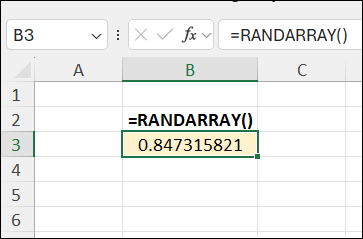
For example, if you type the following formula (with zero arguments) in a cell:
- =RANDARRAY()
The result is one random decimal number, between zero and 1.
All 5 Arguments
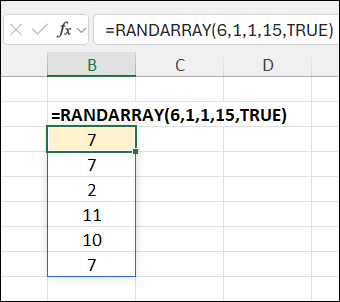
Or, if you type the following formula (with all 5 arguments) in a cell:
- =RANDARRAY(6,1,1,15,TRUE)
The result is a 6 row, 1 column list of random whole numbers, between 1 and 15.
- Tip: To experiment with the RANDARRAY arguments, download my RANDARRAY Syntax workbook.
Flexible Argument Settings
Instead of typing the arguments in the RANDARRAY formula, you can refer to worksheet cells.
I use this technique to create flexible formulas, that I can adjust quickly and easily.
In the worksheet shown below, the RANDARRAY formula refers to cell B4 (Rows) and C4 (Max)
- =RANDARRAY($B$4, 1, 1, $C$4, TRUE)
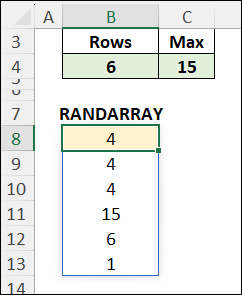
If I type a different number in B4 or C4, the formula results change immediately.
The formula can return:
- a short list, or a long list, of random numbers
- a small range of numbers or a large range.
Note: the Max number must always be equal to, or larger than, the Min number.
More RANDARRAY Examples
For more RANDARRAY function examples, go to the RANDARRAY Function page on my Contextures site.
The examples there show how to create a list of random numbers, or month names, or employee names.
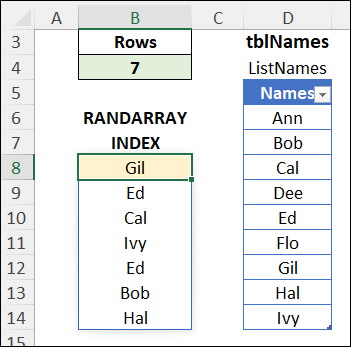
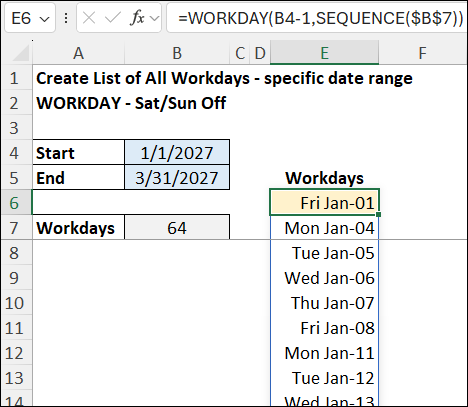
Or try the advanced RANDARRAY examples, like a list of random workdays in a specific date range.
Related Links
These pages on my Contextures site have details and examples for other functions that work well with RANDARRAY.
INDEX function and MATCH Function
_________________
Quick Excel Lists with RANDARRAY Function – Examples
________________