
If you’d like a quick and easy way to add dates in a worksheet, you can use this handy date picker tool, from Jim Cone.
The Date Picker opens to the current date, and you can scroll through months and years, by using the scrollbars at the top of the date picker form.
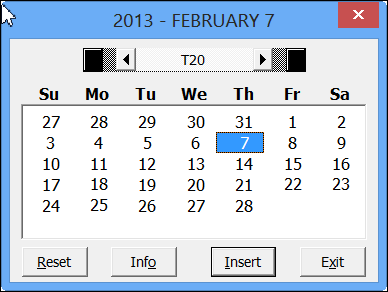
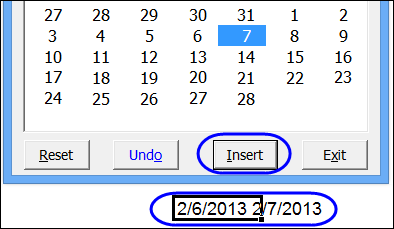
Just select a cell, and click the insert button, to add the date. If you hold the Shift key, and click the Insert button, it will append the date to the cell’s contents.
Create Calendars on a Worksheet
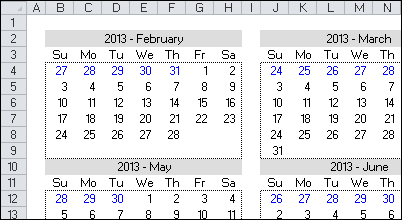
In addition to inserting the date, Jim’s date picker will also add a calendar to the worksheet – either a single month, or a full year.
Download the Date Picker File
To see all the details, and to download the date picker file, please visit my Contextures website: Excel Date Picker
The file is in Excel 2003 format, and contains macros, so enable macros if you want to test the file. The VBA code is unlocked, so you’ll be able to poke around in the code, and see how it works.
Jim hasn’t tested the file in Excel 2013, but a quick test in that version worked fine for me.
__________________
Hi Jim
Thanks for the Info, I add a link to your Date Picker on this page
http://www.rondebruin.nl/win/s8/win003.htm
Have a great day
I am new to excel. I have been looking for something like this in my excel spreadsheet. But I have one questions. I have a macro that when a date is entered in the “Date_Completed” column it removes the entire row and moves it to another worksheet in the same workbook. Can a date picer be used with this type of macro?