
[Latest update: July 27, 2016] With a bit of Excel VBA programming, you can change an Excel data validation drop down list, so it allows multiple selections. This post is a roundup of articles on how to set up multiple selection Excel drop down lists.
Multiple Selection Drop Downs
You can find a sample file and instructions, in a blog post that I wrote a couple of years ago – Select Multiple Items from Excel Data Validation List.
There is a video in that post, that shows how the multiple selection options work, and a peek at the code that makes the multiple selections possible.
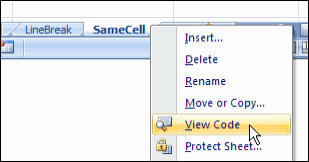
Setting up the Workbook
Even though the post is a couple of years old, it still gets comments and questions. This week, Rick asked for details on setting up a new workbook, and copying the sample code into the new file.
To help, I’ve recorded another video, showing the setup steps.
More Articles on Select Multiple Items
[Update]: Since posting this article on selecting multiple items from an Excel drop down list, I’ve added more articles on the same topic. Please read these updates, for more details on working with the VBA code:
- edit multiple selection cells
- prevent duplicates in multiple selection column
Changing the Macro Code
If you need to change the column numbers in the code, there are instructions here.
To run the code on a protected worksheet, see the notes here.
Download the Sample Data Validation File
To experiment with this technique, you can download the zipped sample file from the Contextures website, on the Excel Data Validation – Select Multiple Items page.
_____________
I need to do two things: (1) have dropdown boxes with mult-select in several different columns within my spreadsheet. I do how change the code to do this (they will be in columns B, D, F). (2) I want users to be able to select several items from the dropdown box. Currently, they have to click on the down-arrow each time they want to select an additional item. Is there a way to hold the CTRL key and select several items at one time? Thank you!
I am trying to get this feature to work Excel 2002 SP3. Is there something that needs to be modified in the code or another setting to allow the feature to work on this old of a version? other than upgrading, do you have any suggestions?
This is fantastic, and exactly what I’m looking for. However, the DataValMultiSelect spreadsheet will not work on my computer. It obviously does work, just not for me! What am I doing wrong? Is there something I have to do to enable the function? When I click on any of the entries in the drop down lists in any of the tabs, nothing happens. I really want to get this to work, particularly the one which compiles the selection into a single cell with commas separations.
I am trying to set up multiple selection of cells on multiple cells within one sheet. I can not figure out to apple these settings to more than one cell on the same sheet?????
Hi,
It is really good…but what I am looking is if with that above code how I will use for different Columns. If I need same filters or Data Validation up to 10 columns(1-10) what I have to do?
Good Morning, the code does not work for me. Can someone help me??