
There’s a Golf Tee Time Excel workbook on the Contextures site, that I’ve updated, to add a few new features.
You’ll list all the players, then set up golf tee times in Excel.
Improved Version
The new version of the Golf Tee Time file has a few important improvements
- There is data validation in column C, which limits the selection to 4 names
- You can’t mark a name that is already booked.
- The time selector only shows tee times that haven’t been assigned.
Assign Golf Tee Times
On the MemberList sheet, you can enter a list of names in column B.
Mark up to 4 names, by typing an X in column C.

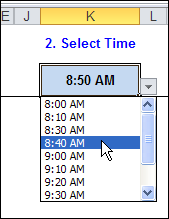
Then, select a start time for the marked names.
Available Times
The drop down list only shows the available times.
In the example below, the 8:20 AM time has been filled, so it’s not in the drop down list.
Book Times Button
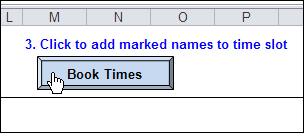
Finally, click the Book Times button, to add the marked names to the selected time slot.
How Tee Time Selector Works
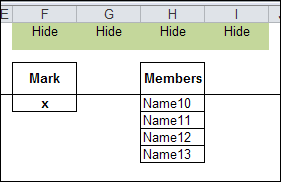
When you click the Book Times button, a macro filters the marked names into a hidden column (H) on the MemberList sheet.
The Advanced Filter criteria range for the advanced filter is range F3:F4.
- The Advanced Filter will extract names from the Members column, where there is an x in the Mark column.
Copy and Transpose
After the filter runs, that vertical list of filtered names is copied
Next, the list is transposed into a horizontal list
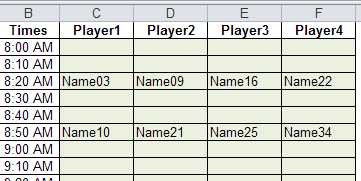
The horizontal list is pasted onto the TeeOffTimes sheet, in the row that matches the selected time.
Clear the Mark Column
After pasting the names, the Mark column is cleared, so you can select the next group of names.
To start over, clear all the names from the TeeOffTimes sheet (the green cells in the screen shot above).
Download the Sample File
To get the golf tee time workbook, go to the Golf Tee Off Times page on my Contextures site.
The file is in xlsm format, and is zipped. The workbook contains macros, so you’ll need to enable macros if you want to test the time booking feature in the sample file.
__________
Could either of you send me updated information on this?
C. Horn