
Last July, I posted sample Excel VBA code to navigate to the next or previous worksheet.
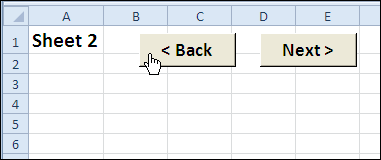
- If you’re on the second sheet, you can click the Next button to go to the third sheet.
- Or, click the Back button to go to the first sheet.
Check for Hidden Sheets
In the comments for that blog post, Ron de Bruin suggested modifying the two navigation macros, so they test if the target sheet is hidden, before selecting it.
Finally, only 14 months later, the revised code is ready. As you know, quality work takes time! 😉
Excel Worksheet Navigation Code
Here’s the Excel VBA code for the two macros — GoSheetBack and GoSheetNext.
- If the next sheet is hidden, the code keeps going until it finds the next visible sheet.
- If the macro code reaches the end of the sheet tabs in either direction, it jumps to the other end, and continues from there.
'==========================
Sub GoSheetNext()
Dim wb As Workbook
Dim lSheets As Long
Dim lSheet As Long
Dim lMove As Long
Dim lNext As Long
Set wb = ActiveWorkbook
lSheets = wb.Sheets.Count
lSheet = ActiveSheet.Index
lMove = 1
With wb
  For lMove = 1 To lSheets - 1
    lNext = lSheet + lMove
    If lNext > lSheets Then
      lMove = 0
      lNext = 1
      lSheet = 1
    End If
    If .Sheets(lNext).Visible = True Then
      .Sheets(lNext).Select
      Exit For
    End If
  Next lMove
End With
End Sub
'==========================
Sub GoSheetBack()
Dim wb As Workbook
Dim lSheets As Long
Dim lSheet As Long
Dim lMove As Long
Dim lNext As Long
Set wb = ActiveWorkbook
lSheets = wb.Sheets.Count
lSheet = ActiveSheet.Index
lMove = 1
With wb
  For lMove = 1 To lSheets - 1
    lNext = lSheet - lMove
    If lNext < 1 Then
      lMove = 0
      lNext = lSheets
      lSheet = lSheets
    End If
    If .Sheets(lNext).Visible = True Then
      .Sheets(lNext).Select
      Exit For
    End If
  Next lMove
End With
End Sub
'==========================
Download the Sample File
To see the detailed instructions, and to download the sample Navigation code workbook, please go to the Excel VBA Worksheet Macro Buttons page on the Contextures website.
Watch the Excel Video
To see the steps for creating the navigation macro buttons, you can watch this Excel video.
____________
Yes, I did, but thanks anyway for pointing that out.
Hi Rick,
how can I modify to use for a cell instead of sheet. I have a user form with a next button but no code
Hi,
I want to these button (NEXT & PREVIOUS) on user form to user click on NEXT button and retieve records from SQL SERVER and populate in corresponding textbox.
Please tell me on my email ‘[email protected]’.Its very urgent for me.
Thanks in advance..