
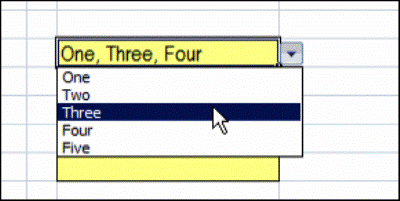
You’ve probably used an Excel data validation drop down list, where you can click the arrow, and select an item to fill the cell. With a bit of programming, you can customize a drop down list, to select multiple items.
Single Selection Drop Down
By default, data validation drop downs only allow you to select one item.
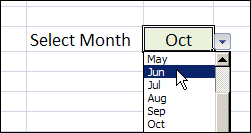
In the worksheet shown below, you can select a month from the drop down, and it overwrites any previous selection in that cell.
Select Multiple Items From the Drop Down List
Instead of limiting users to a single selection, you can use a bit of programming, combined with the data validation list, and allow multiple selections.
You can display all the selected items across a row, or down a column, or keep them in the same cell.
Keep reading, to see some examples of this technique, and how it works.
There is also a video that shows the multiple selection drop down list. To try it for yourself, follow the download link f
Watch the Data Validation Video
To see these techniques, and a few other multiple selection examples, you can watch this short video.
_________________
@Greg, thanks, I’m glad you like the article and video. I don’t have a solution for 1 or 3, using this technique.
For #2, there is a post that explains how to set up an editable sheet: Edit Multiple Selections in Excel Drop Downs
Thanks Debra,
That worked great for #2
If you ever find a way to fix the other questions that would be fantastic.
Debra
Thank you so much for your code. You have been a tremendous help to me and I appreciate that.
You vid was excellent and very clear to understand.
Thanks again!!!!
@Stephen, you’re welcome! Glad it helped.
Many thanks ….. your macro has been a great help, I appreciate you sharing it. Is it possible to limit the multiple selection to specific cells, rather than to the whole column? If so how?
Hello, i am using your samecell technique (Three, Two, Three, Four) from a drop down…this was an awesome find…thank you! but my problem and question is this technique then screws with my formatting and printing of the spreadsheet…so my question is …” is there a way to have them NOT be comma seperated but rather on vertically in the same cell ?”
Thanks again!
Dave