
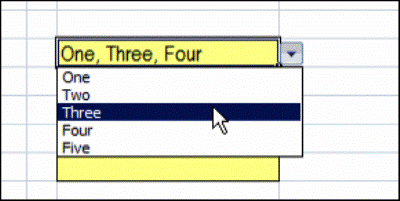
You’ve probably used an Excel data validation drop down list, where you can click the arrow, and select an item to fill the cell. With a bit of programming, you can customize a drop down list, to select multiple items.
Single Selection Drop Down
By default, data validation drop downs only allow you to select one item.
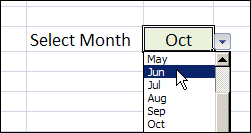
In the worksheet shown below, you can select a month from the drop down, and it overwrites any previous selection in that cell.
Select Multiple Items From the Drop Down List
Instead of limiting users to a single selection, you can use a bit of programming, combined with the data validation list, and allow multiple selections.
You can display all the selected items across a row, or down a column, or keep them in the same cell.
Keep reading, to see some examples of this technique, and how it works.
There is also a video that shows the multiple selection drop down list. To try it for yourself, follow the download link f
Watch the Data Validation Video
To see these techniques, and a few other multiple selection examples, you can watch this short video.
_________________
For the total non-programmer…can you tell me how to get the “separate columns, separate rows, etc” tabs along the bottom of your worksheet? I can get to “view code” by right clicking the column number tab, but it just has:
Private Sub Worksheet_SelectionChange(ByVal Target As Range)
End Sub
Help for the least informed person on this blog please?
Jody
For some reason, the code isn’t working for me.
I’m using excel 2007.
Macros are enabled.
Any suggestions?
Nevermind. Once I closed and reopened, it worked perfectly. Thanks!!
Another question. I need to protect the sheet, so that some cells are locked. When I do this, the code no longer works. Would you have any advice?
Thanks
Hi Debra, and congratulations for your help for everyone.
I try to copy your “LineBreak” code, but the code is applying to every cell with a data validation.
(I think it comes from SpecialCells(xlCellTypeAllValidation))
I need that only on cells K5 and Q5 (even if I have a lot of other data validation cells in my sheet)
Could you help me to define these cells in your code ?
(I hope this is clear, I’m french…)
I am having the same problem as bernicerene:
“Another question. I need to protect the sheet, so that some cells are locked. When I do this, the code no longer works. Would you have any advice?”
can anyone assist?
thank you