
If you have a blog, I’d highly recommend that you write your articles in Windows Live Writer. It’s a free download, available on the Windows Live web site.
You’ll need a Windows Live account before you can use the program, so if you don’t have an account yet, it’ll take you a couple of minutes to set that up.
I’ve been using Live Writer for a couple of weeks and find it much quicker and easier than logging into my WordPress blog, and writing an article in the tiny window there.
Set Up a Blog
You can set up one blog, or several blogs, and publish to any of them from the same Windows Live Writer session.
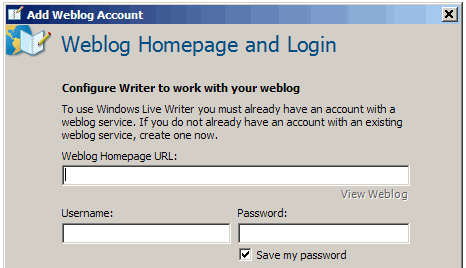
It only takes a minute or two to set up a blog in Live Writer. Fill in the URL, name, password, and select from a few options.
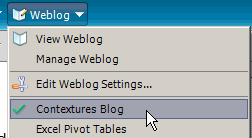
Then, select a blog from the dropdown list, and start writing.
Write an Article
Live Writer has a nice big writing area, so it’s easier to see what you’re doing, and view more of the current article.
There’s a formatting toolbar, with most of the common tools. Align is on the Format menu though, instead of the toolbar.
A few more features that keep me using Live Writer:
- Spelling mistakes are underlined, so you can correct them as you work.
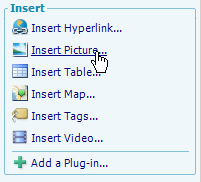
- From the sidebar, you can insert objects such as a table, map, or video.
- For articles with pictures, I keep Windows Explorer open, and drag the images in from there. That’s much quicker than using the Upload feature in WordPress.
- At the bottom of the article window you can set the categories or add new categories.
- The Set publish date feature lets you schedule articles for publishing later.

Improvements
There are a couple of things that I’d like to see improved in the next version.
- Tags — There’s an Insert Tags option, but I don’t see the tags in the published article on my web site.
- Align — Add an Align button to the formatting toolbar.
- Pictures — Don’t insert all the images as thumbnails. Maybe there’s somewhere to change that setting, but I haven’t found it yet.
Those are minor annoyances though, and the benefits far outweigh them.
Try It!
Whether you write a couple of articles a month or several per day, I think you’ll like Live Writer. If you do try, let me know what you think of it.
_________________________
I don’t know why you can’t see the technorati tags. Mine are visible.