New PIVOTBY function, get ready for Spreadsheet Day, and more, in this month’s Excel news.
Visit my Excel website for more tips, tutorials and videos, and check the index for past issues of this newsletter.
Excel tips and tutorials

New PIVOTBY function, get ready for Spreadsheet Day, and more, in this month’s Excel news.
Visit my Excel website for more tips, tutorials and videos, and check the index for past issues of this newsletter.
Pivot table sorting, fun with movie titles, and more, in this month’s Excel news. Visit my Excel website for more tips, tutorials and videos, and check the index for past issues of this newsletter.
Quick filter, fill blank cells, and more, in this month’s Excel news. Visit my Excel website for more tips, tutorials and videos, and check the index for past issues of this newsletter.
There are bad characters, musical spreadsheets, and more, in this month’s Excel news. Visit my Excel website for more tips, tutorials and videos, and check the index for past issues of this newsletter.
There’s an Excel calendar, Excel lookup functions, and more, in this month’s Excel news. Visit my Excel website for more tips, tutorials and videos, and check the index for past issues of this newsletter.
I’ve got an Excel lookup functions question for you, in the quick poll below. And I’ve got some breaking news for you too!
Continue reading “Which Excel Lookup Functions Do You Use Most Often?”
Do you hit the Save button frequently, while you work in Excel? And do you make backup copies of your Excel files, especially before making major changes? Or, do you only think about saving, right after Excel crashes?
Continue reading “Excel File Auto Backup When Workbook Saved”
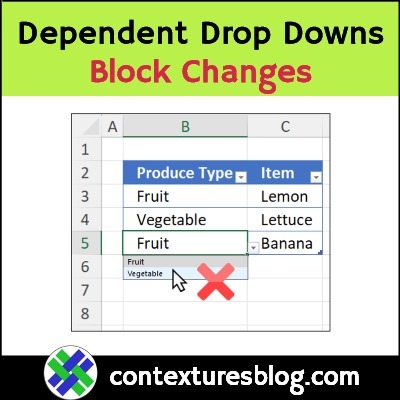
One of my favourite Excel features is a data validation drop down list. In just a couple of minutes, you can make a list of items, then make that list appear in a worksheet cell. It’s like magic!
Continue reading “Excel Dependent Drop Down Lists – Block Changes”
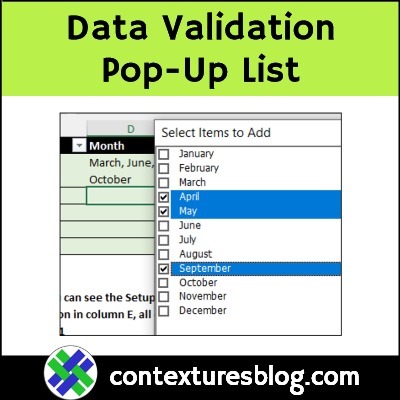
With the free Data Validation Select Popup (DVSP) tool from Contextures, you can add popup lists to Excel workbooks.
Set the rules you’d like for the pop-up lists — allow single item selection in some columns, and allow multi-selection in other columns.
Continue reading “Data Validation Selection Popup Tool – Contextures”
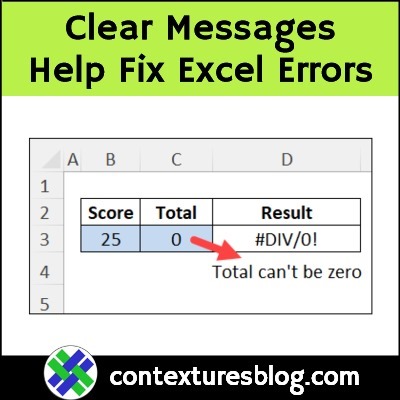
Did you know that you can use the Excel ERROR.TYPE function to identify specific types of errors on a worksheet? And after the error type is identified, you can use that information to provide help with error troubleshooting.
There’s a short video below, that shows an example, and there’s a list of the Excel error values that this function can identify.
Continue reading “Troubleshoot Excel Formulas with ERROR.TYPE Function”