
As you’ve heard, Google Reader will be disappearing in a few months <sigh>, and we’ll have to find other ways to follow our favourite blogs. I’m looking for a replacement, but haven’t found anything perfect yet. How about you?
In the meantime, I can at least list a few RSS feeds in Excel, by using some built-in tools. In the video below, you can see how I created a list of articles from this blog, using an XML map.
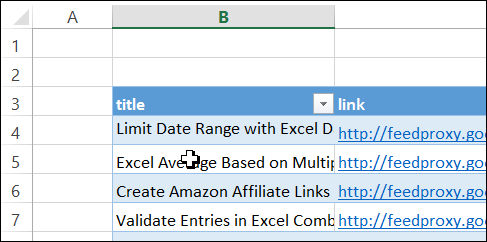
Create the RSS Feed List
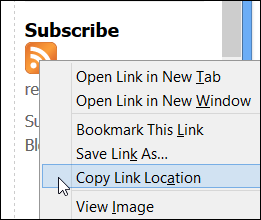
It’s easy to create an RSS feed list on a worksheet, as long as you have the link for the RS feed. In this blog, there is an orange RSS icon in the right sidebar, near the bottom. Just right-click on that button, and copy the Link Location.
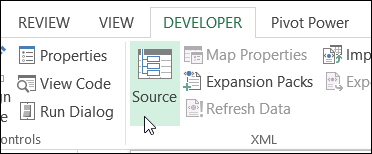
Then, in Excel, create an XML map, using the tools on the Developer tab.
Watch the Excel RSS Feed Video
To see the steps for creating an RSS feed list on a worksheet, watch this short video tutorial.
Download the Sample File
For written instructions, and to download the sample file, you can visit my Contextures website: Excel RSS Feeds
____________
I’m planning on going w/ the old reader once the line dies down. It is run by a small group of programmers in their spare time, so responsiveness isn’t the greatest, but I like the simple interface and single purpose non-bloated format.
I don’t like the idea of feedly having to have an extension just to use it. I also don’t like how they use gray font – makes it harder to read. They do offer the ability to change settings but I didn’t see one for the color of the font.
I personally use bloglines. But I will surely like to import these feeds in spreadsheets.
Thanks for posting!
I would suggest you take a look at Tiny Tiny RSS (http://www.tt-rss.org). I moved over a couple of years ago and never looked back. Here is the description from their website: “Tiny Tiny RSS is an open source web-based news feed (RSS/Atom) reader and aggregator, designed to allow you to read news from any location, while feeling as close to a real desktop application as possible.”
Thanks Debra,
Can’t seem to get it to work with DDOE.
Prompting me for a user name and password?
Thx
@Winston, I was able to get the DDOE RSS feed by using this URL:
http://www.dailydoseofexcel.com/feed/