
Long ago, Dave Peterson created an Excel worksheet data entry form, so you could enter records on one sheet, and store the data on another sheet. Then, you can hide the data entry sheet, so users don’t accidentally change any of the old records.
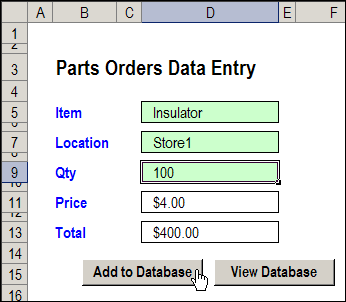
There have been a few version of the data entry form file, including the the previous version, in which you could also update the selected record. This way, the data sheet can still be hidden, but users can make changes to the existing records.
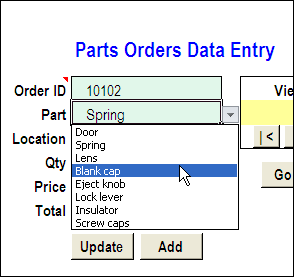
Delete the Current Record
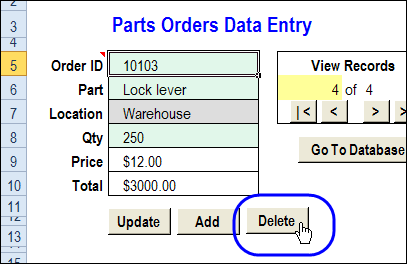
In a comment, Bryan asked for a Delete button too. In this new version, that feature is added. (Thanks, Bryan, for the suggestion!) Use this version if you really trust your workbook users – and keep good backup files!
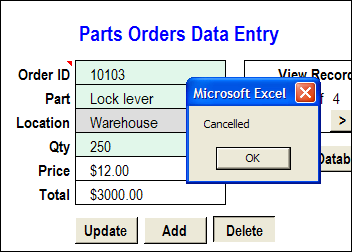
When you click the Delete button, a message appears, asking you to confirm that you want to delete the record.
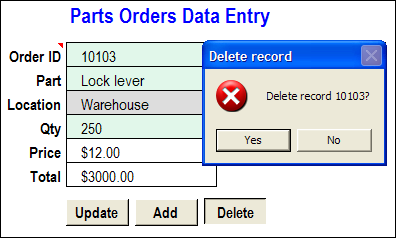
If you click No, the deletion is cancelled.
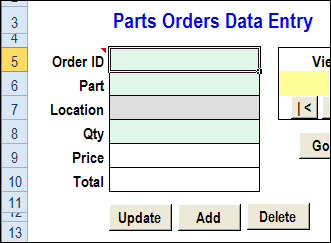
If you click Yes, the record is deleted from the database worksheet, and the data entry cells are cleared.
Download the Worksheet Data Entry Form
To see how the data entry form works, you can go to my Cotextures website, and download the Worksheet Data Entry Form sample file.
The file is in Excel 2003 format, and is zipped. After you unzip the file and open it, enable macros, so you can use the worksheet buttons.
_____________
Question about the Navigate Through Stored Records and Select a Specific Record Features.
Not sure if this sounds right or not but
When you use the Navigate Throught Stored Records shouldn’t it also change the Specific Record?
Right now if you go to recond 1 and the Specific Record is on Rec 2, Rec 1 will be deleted but it will say when you delete Delete Rec 2? for the message box.
Is there a way to have to so if you change either one they both update to the correct record and displays the Order ID?
Picture to show what i am talking about
http://i47.tinypic.com/35876nl.jpg
Hi Debra,
This has helped me so much! It works perfectly!
Now, what I am trying to do is write up a code that takes a screenshot of the OrderEntry range, paste it on as a new email and send. Currently, I have the code to copy, paste and send email and yours but i’m having difficulty combining the two codes.
Is it possible to do it?
enter records on one workbook sheet, and store the data on another Workbook sheet how?